5.
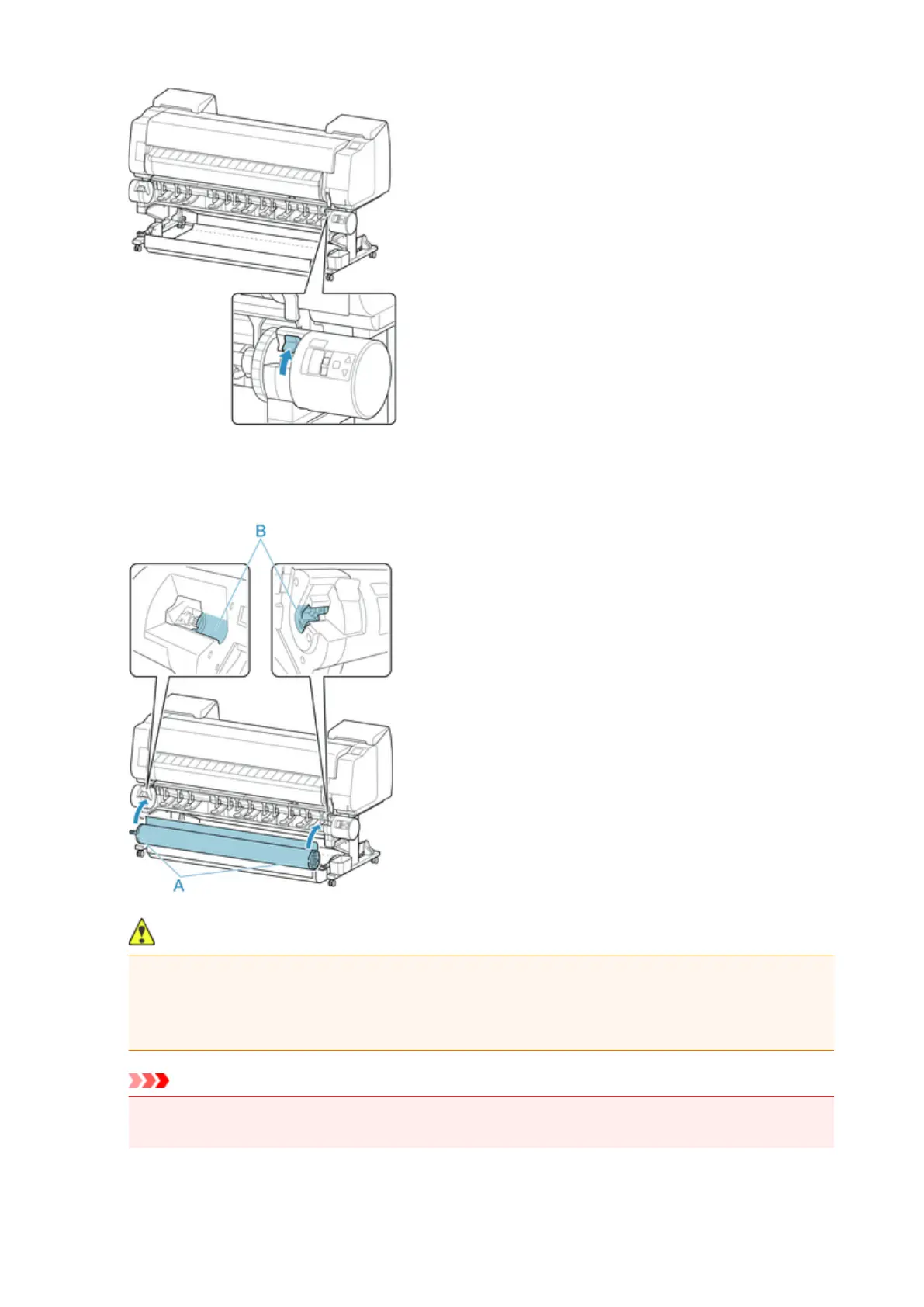
Hold flanges (A) so that roll holder's white gear is on left, align roll holder shaft with roll
holder slot left and right guide grooves (B), and load.
Caution
•
Be careful not to drop the roll and hurt yourself when loading it.
•
Be careful not to pinch your fingers between the Roll Holder shaft and the guide grooves (B) when
loading the roll paper.
Important
•
If the leading edge of the roll paper is secured with tape or a paper band so that it will not unravel,
remove the tape or paper band before loading the roll paper into the roll holder slot.
53












 To Next Page