If you load the paper into the roll holder slot with the leading edge secured, only part of the roll
paper is fed to the paper feed slot, resulting in damage to the roll paper.
Note
• For the procedure for attaching the roll paper to the Roll Holder, see "Loading Rolls on the Roll
Holder."
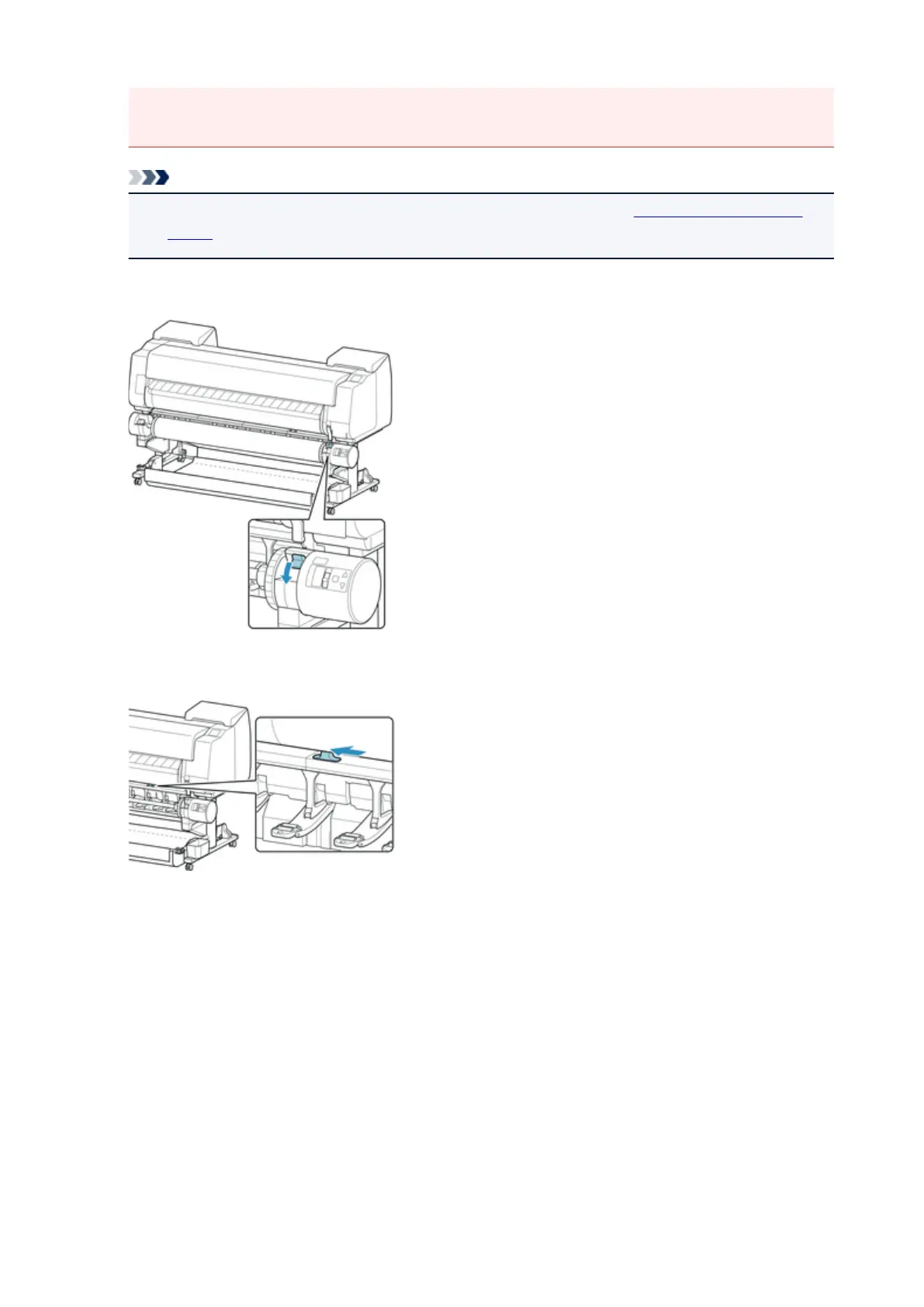
6. Change Roll Holder Lock switch on roll unit to locked position.
7.
Change feed flap switch on top of roll unit to feed icon position on the left.
8. Pull out roll paper evenly, insert leading edge between roll paper and arrows (A) directly
beneath it, and feed roll paper until you hear a sound.
54












 To Next Page