Removing a Printable Disc
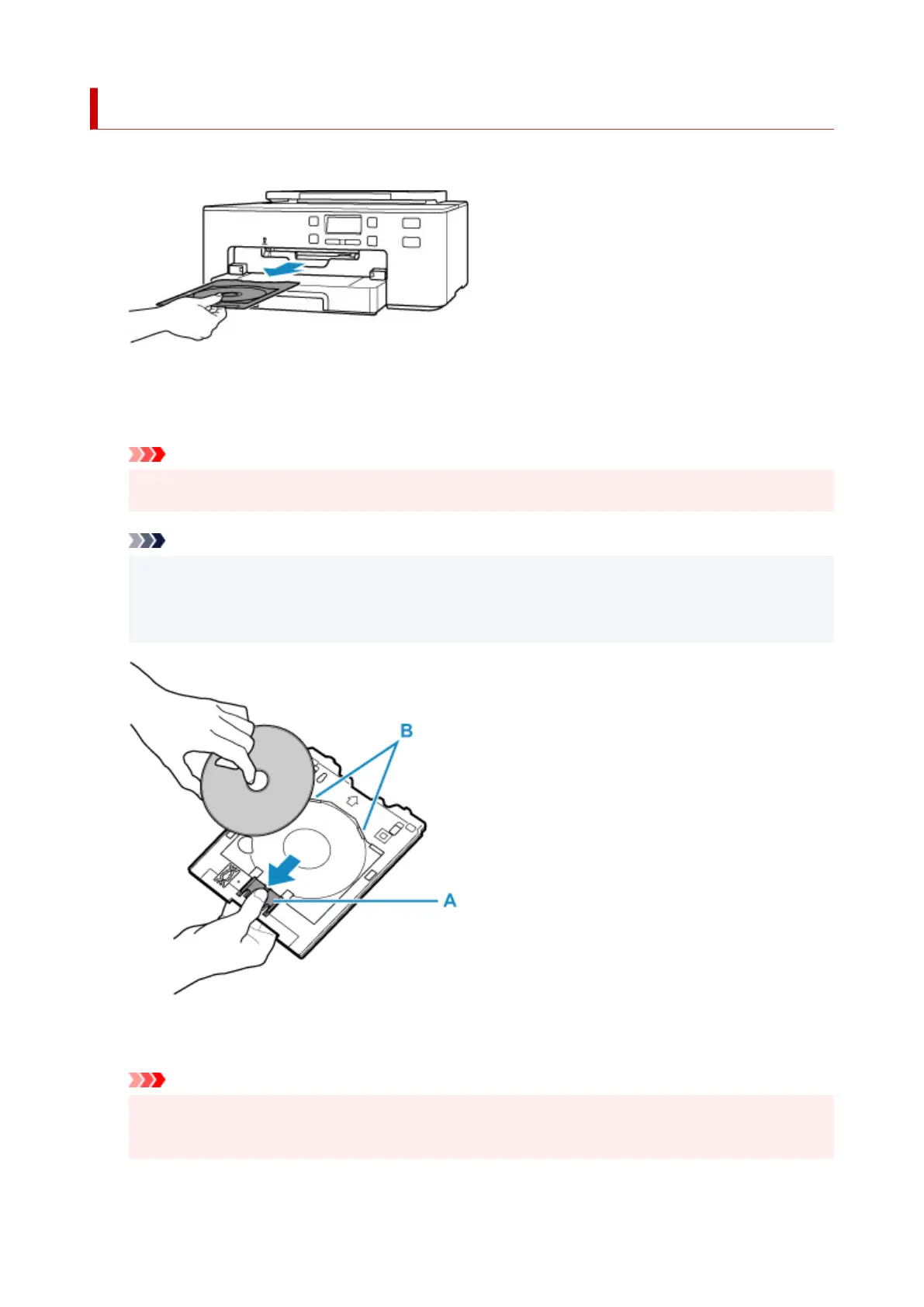
1. Pull out multi-purpose tray.
2.
While pressing down lock (A), take out printable disc from slits (B) on multi-purpose tray,
and remove it.
Important
•
Do not touch the printing surface when removing the disc from the multi-purpose tray.
Note
•
Allow the printing surface to dry before removing the disc. If you see printing on the multi-purpose
tray or on the transparent parts of the inner or outer diameters of the printable disc, wipe them
clean after the printing surface has dried.
3. Pull paper output tray (C) towards you until it aligns with operation panel (D).
Important
•
If the paper output tray is pushed into the printer, you cannot print onto regular printing paper. Be
sure to pull the paper output tray towards you until it aligns with the operation panel.
111












 To Next Page