How to Detach / Attach Multi-purpose Tray
Detaching Multi-purpose Tray
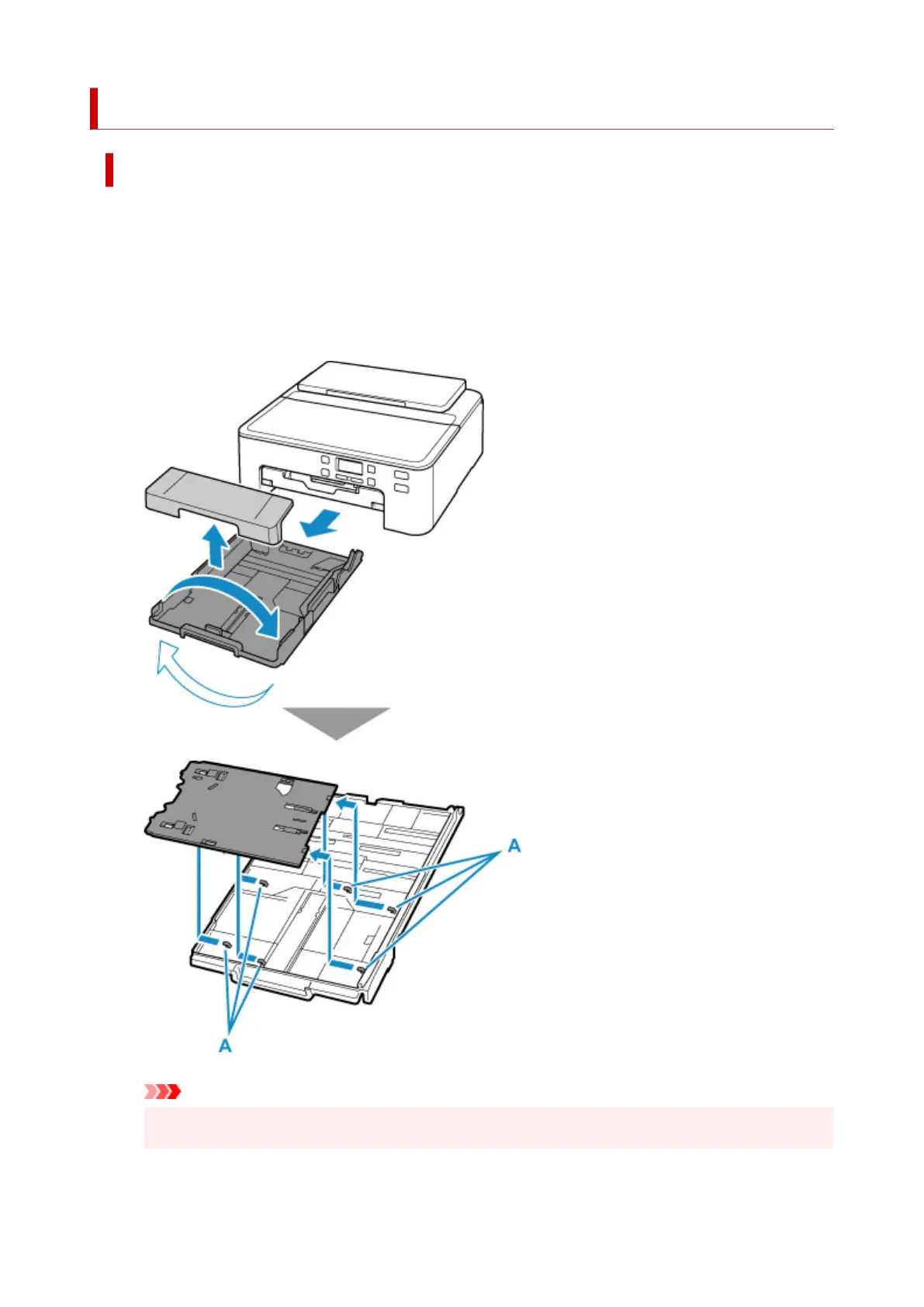
1. Take cassette out of printer and remove cassette cover.
Be sure to remove any paper.
2.
Turn cassette over and remove multi-purpose tray.
Slide the multi-purpose tray, take it out of the six tabs (A), and then lift it.
Important
•
Be sure to remove any orange shipping tape on the multi-purpose tray.
121












 To Next Page