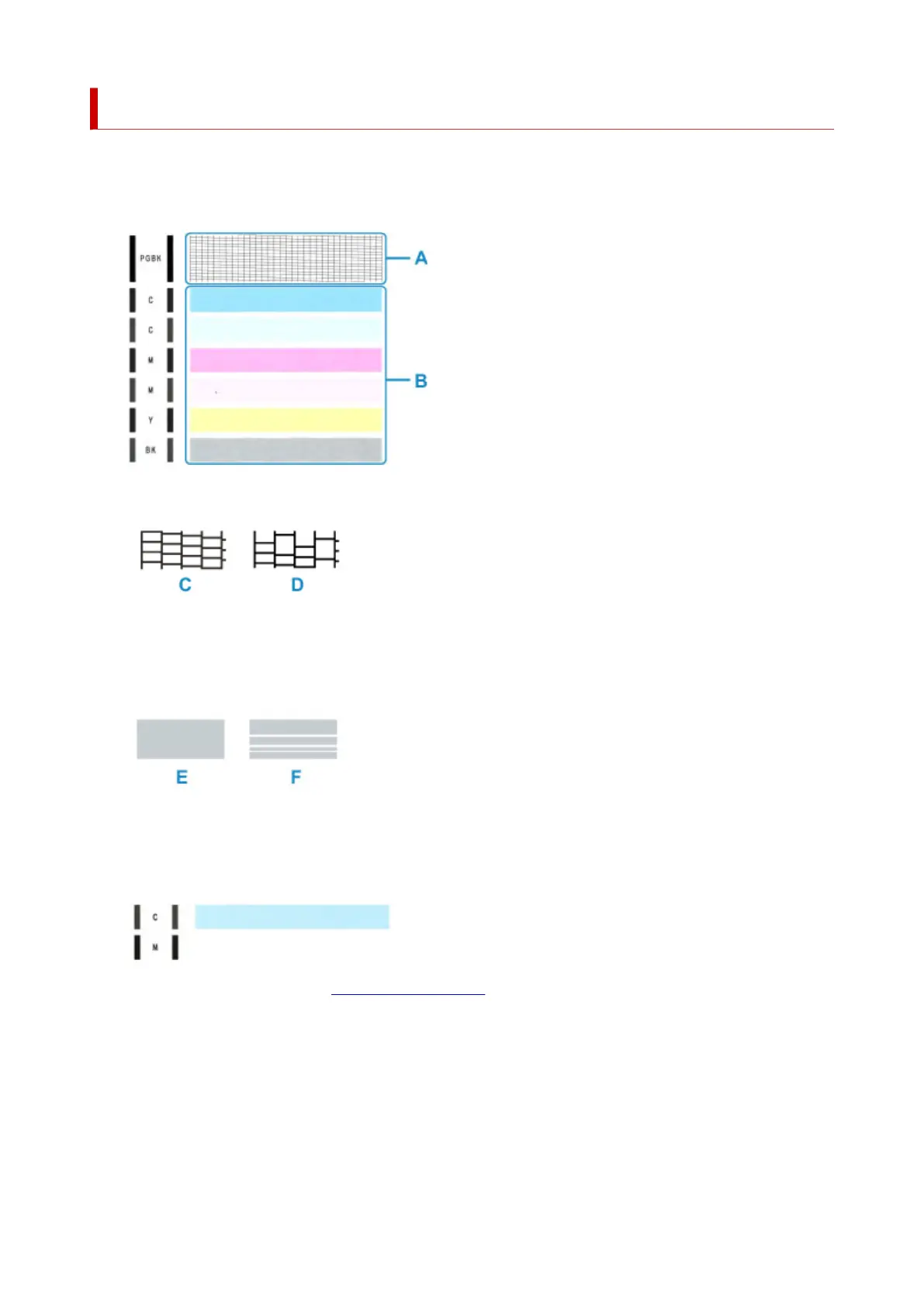
Examining the Nozzle Check Pattern
Examine the nozzle check pattern, and clean the print head if necessary.
1. Check if there are missing lines in the pattern A or horizontal white streaks in the pattern B.
If there are missing lines in the pattern A:
C: Good
D: Bad (lines are missing)
If there are horizontal white streaks in the pattern B:
E: Good
F: Bad (horizontal white streaks are present)
If any color in the pattern A or the pattern B is not printed:
(Example: Magenta pattern is not printed)
If one of the above is applied, cleaning the print head is required.
136












 To Next Page