Printing Photos from a Computer
This section describes how to print photos with Easy-PhotoPrint Editor.
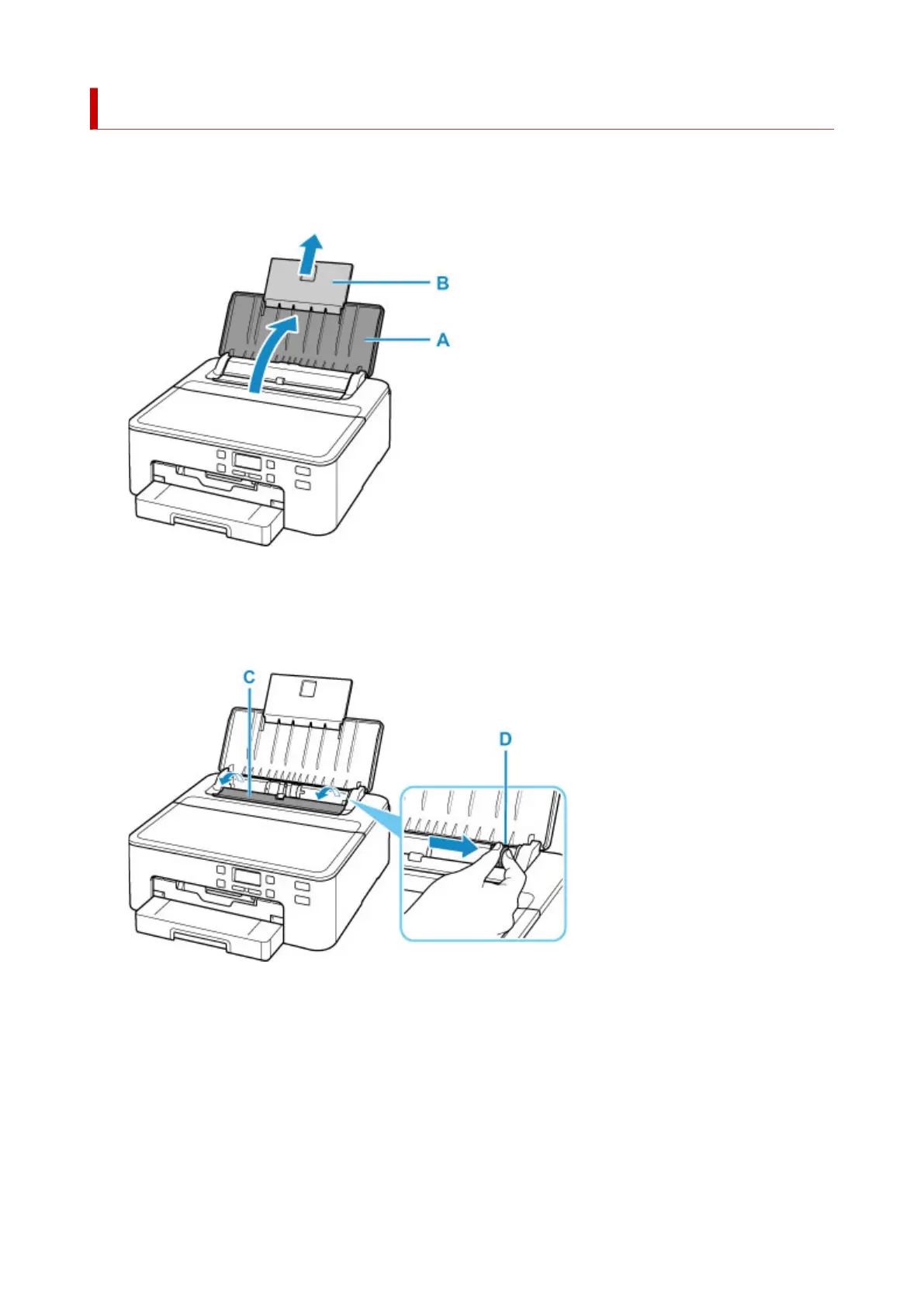
1. Open paper support (A) and pull out paper support extension (B).
2.
Open the feed slot cover (C).
3.
Slide right paper guide (D) to open both paper guides.
4.
Load photo paper in portrait orientation WITH PRINT SIDE FACING UP.
28












 To Next Page