13.
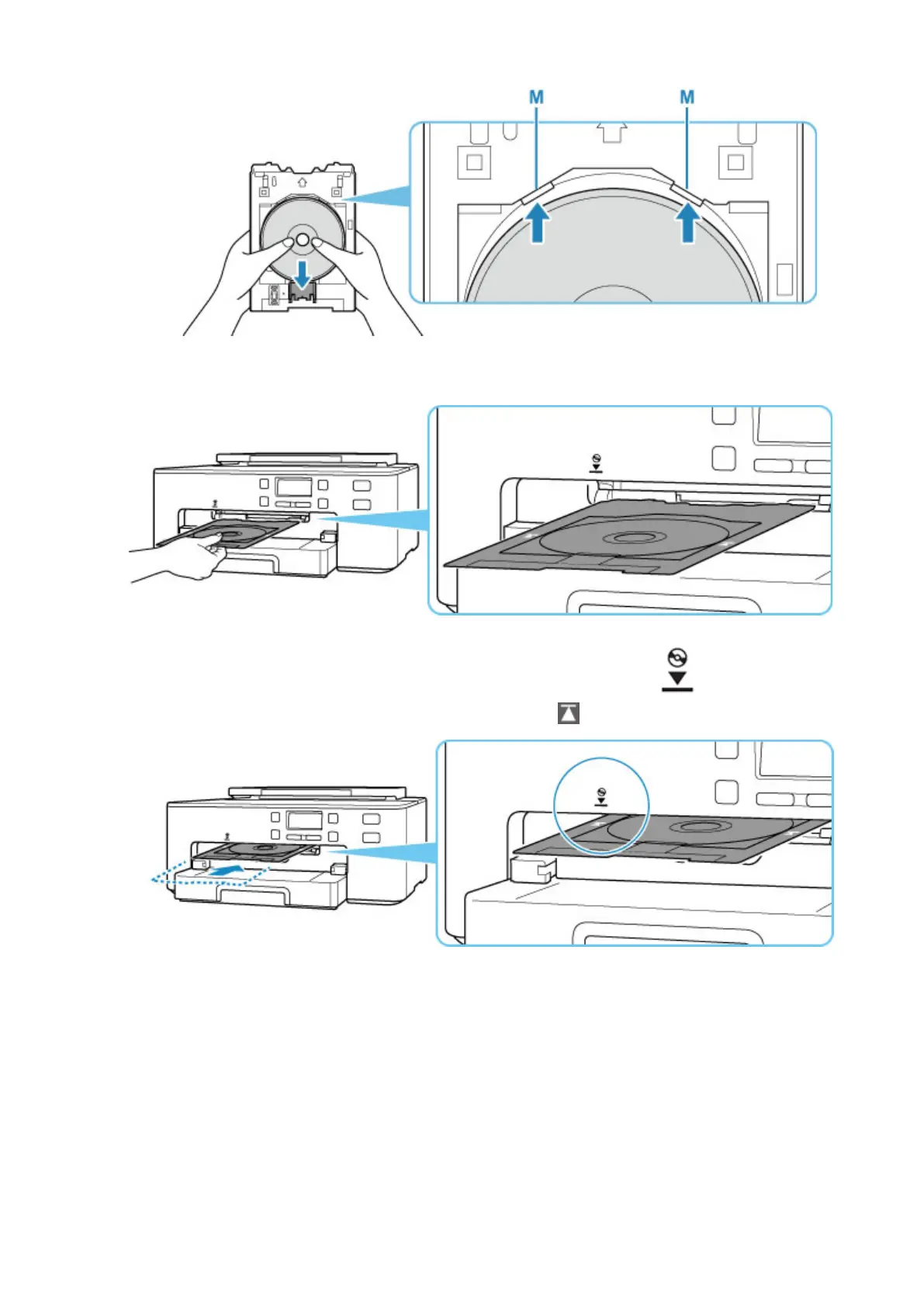
Place multi-purpose tray on multi-purpose tray guide.
14.
Insert multi-purpose tray straight in in horizontal direction until arrow ( ) on multi-
purpose tray guide is approximately aligned with arrow (
) on multi-purpose tray.
15. Press OK button on printer.
The multi-purpose tray is drawn into the printer and printing will start.
16. After printing is complete, pull multi-purpose tray from printer to remove it.
43












 To Next Page