Select Wi-Fi and click OK.
6. Enter password and click OK.
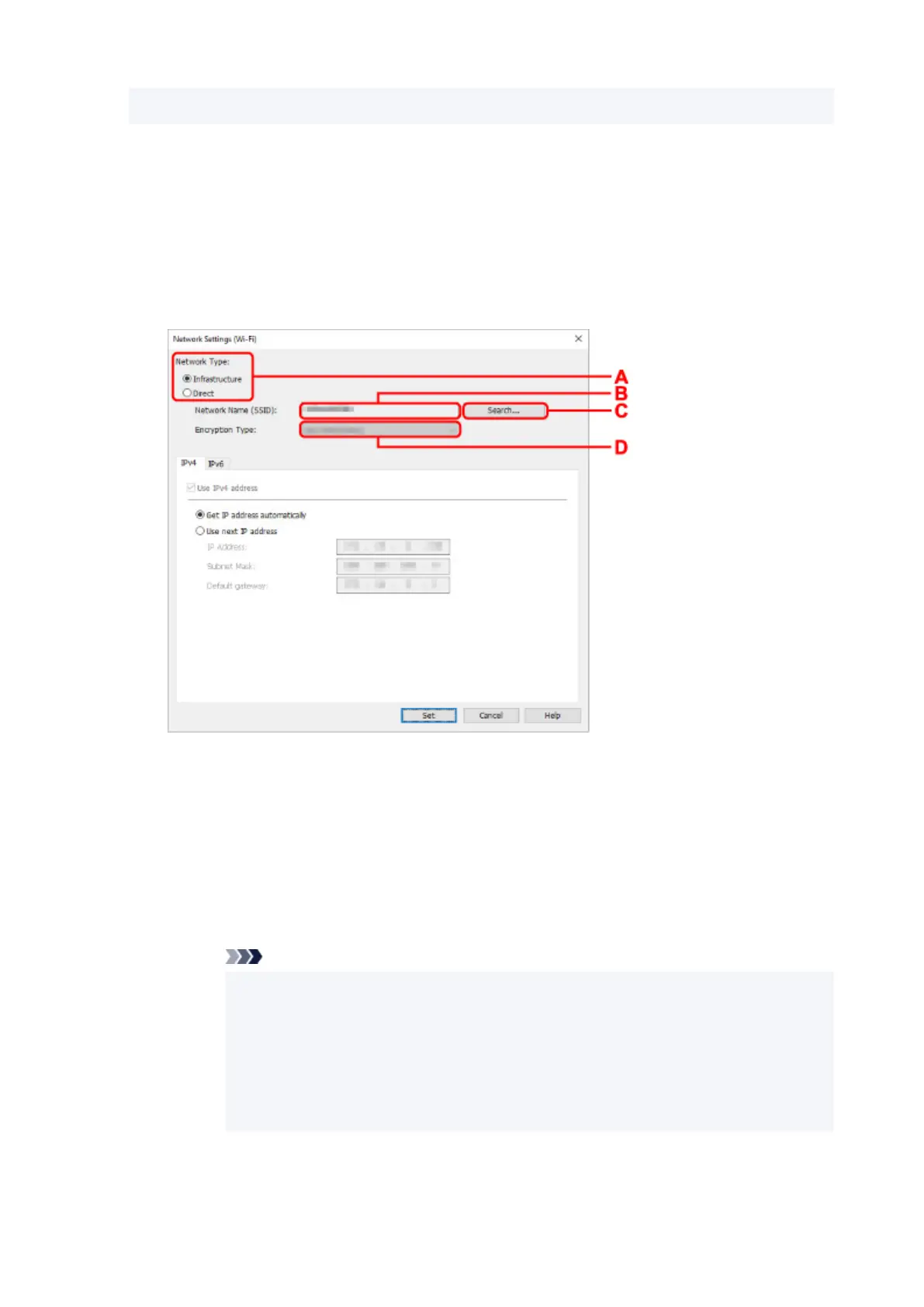
The Network Settings screen appears.
7. Perform/change settings.
You can switch the screen between IPv4 and IPv6. Click the tab to switch the protocol.
• IPv4/IPv6 settings
A: Network Type:
Select the Wi-Fi mode.
◦ Infrastructure
Connects the printer to the Wi-Fi with a wireless router.
◦ Direct
Connects the printer to wireless communication devices (smartphone or tablet) without a
wireless router.
Note
•
If Wi-Fi is enabled on the computer and if you select a USB connected printer on step
4, you can select Direct depending on the printer you are using.
•
If Direct is selected, all items are displayed in a gray out status and you cannot
perform any settings.
In addition, you cannot connect to Internet from your computer depending on your
operating environment.
B: Network Name (SSID):
The network name (SSID) of the Wi-Fi currently used is displayed.
76












 To Next Page