Camera Setup
31
Camera configuration and operation may be blocked, depending on the security functions of the operating system and web
browser.
Change or check security settings beforehand.
Checking Firewall Settings
To use the software on computers where Windows Firewall is enabled, you may need to add each software as an
application allowed to communicate via the firewall.
Even if you do not perform the following steps, you can still add each software with the [Windows Security Alert] dialog box that is
displayed when you launch the software.
Checking/Configuring Security Settings
1
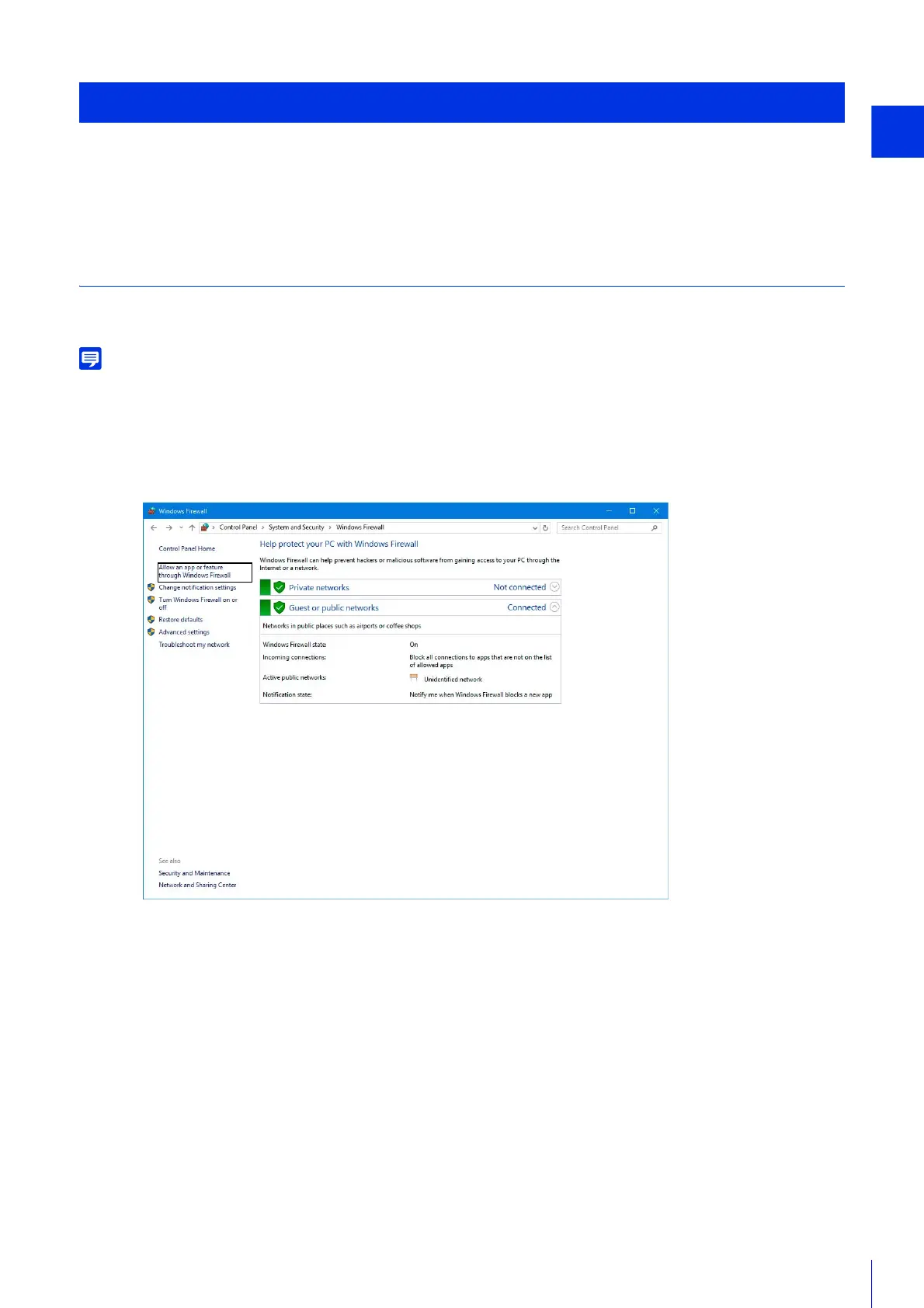
Click [System and Security] > [Windows Firewall] in [Control Panel].
2
Click [Allow an app or feature through Windows Firewall].



 To Next Page