common. The functions can be set in any of the menus and the settings will be reflected in all of the [Video] submenus.
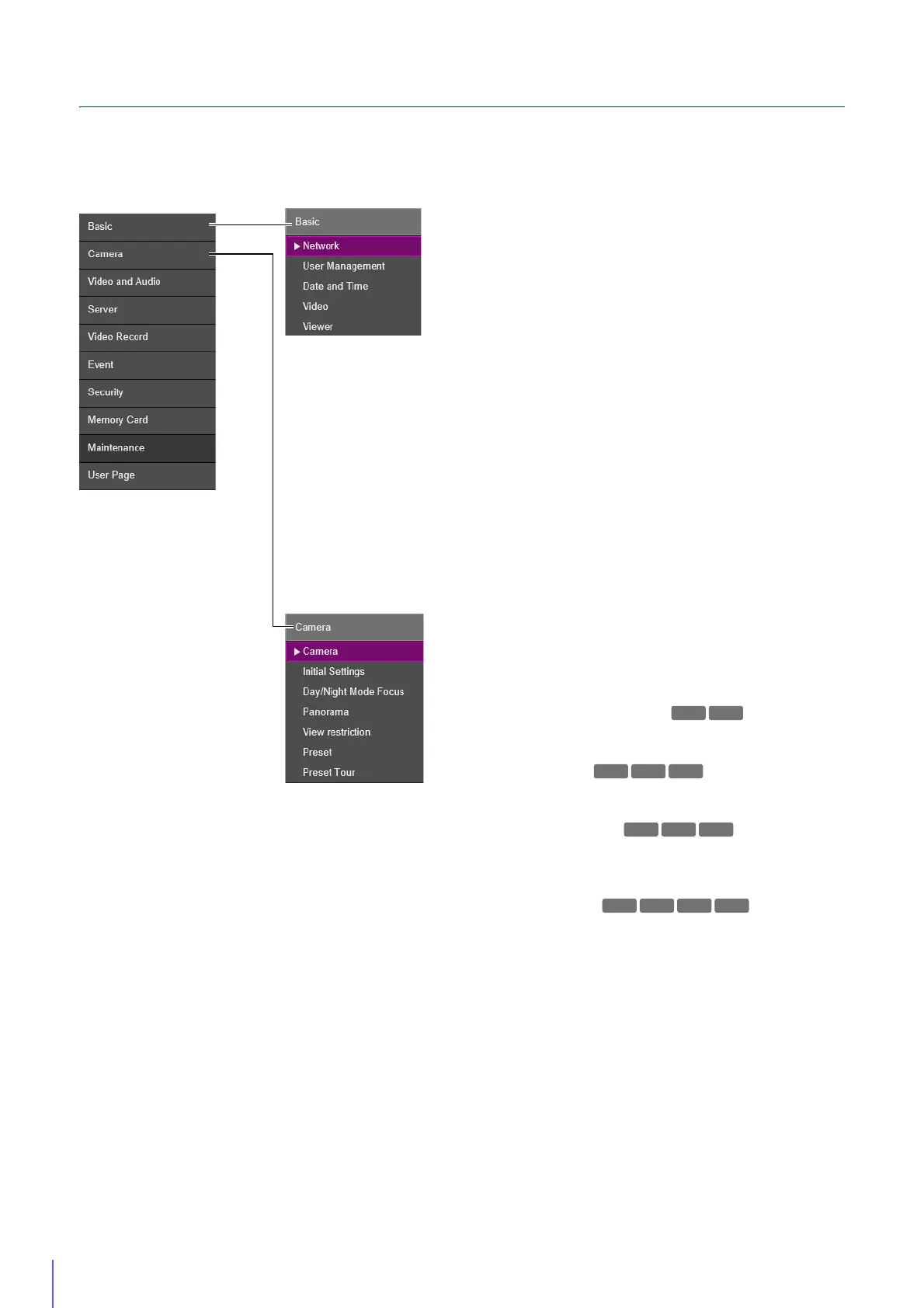
• Network (P. 83)
Network settings for connecting to the camera.
• User Management (P. 87)
Use this to change administrator account information, add/
delete authorized users and set privileges for users.
The settings of this item are the same as those in [Security]
> [User Management]. Settings configured on one page
are also reflected on the other.
• Date and Time (P. 89)
Camera date and time settings.
• Video (P. 91)
General video settings, such as the size and quality of
video transmitted from the camera.
•Viewer (P.94)
Configure the startup, authorization, and view of the
Viewer.
Basic
Camera • Camera (P. 96)
Settings for the camera name and external input/output
devices, and for use and installation of the camera.
• Initial Settings (P. 99)
Sets initial settings, such as video quality compensation, at
camera start up.
• Day/Night Mode Focus (P. 107)
Set the focus positions for when Day/Night Mode are
switched.
• Panorama (P. 110)
Configure the creation and management of panorama
images.
• View restriction (P. 114)
Set the range that the camera can capture.
• Preset (P. 118)
Register a series of settings as a preset.
• Preset Tour (P. 121)
Configure the settings for automatically touring with
multiple presets registered in advance.



 To Next Page