78
Help
Click [Help] at the beginning of any setting item to display a detailed explanation of that setting item.
Setting Ranges and Character Limits
For settings where you must enter numerical values or characters, the setting range or limits on the number of
characters will be displayed.
Please enter the settings within the displayed limits.
Operating the Video Display Area
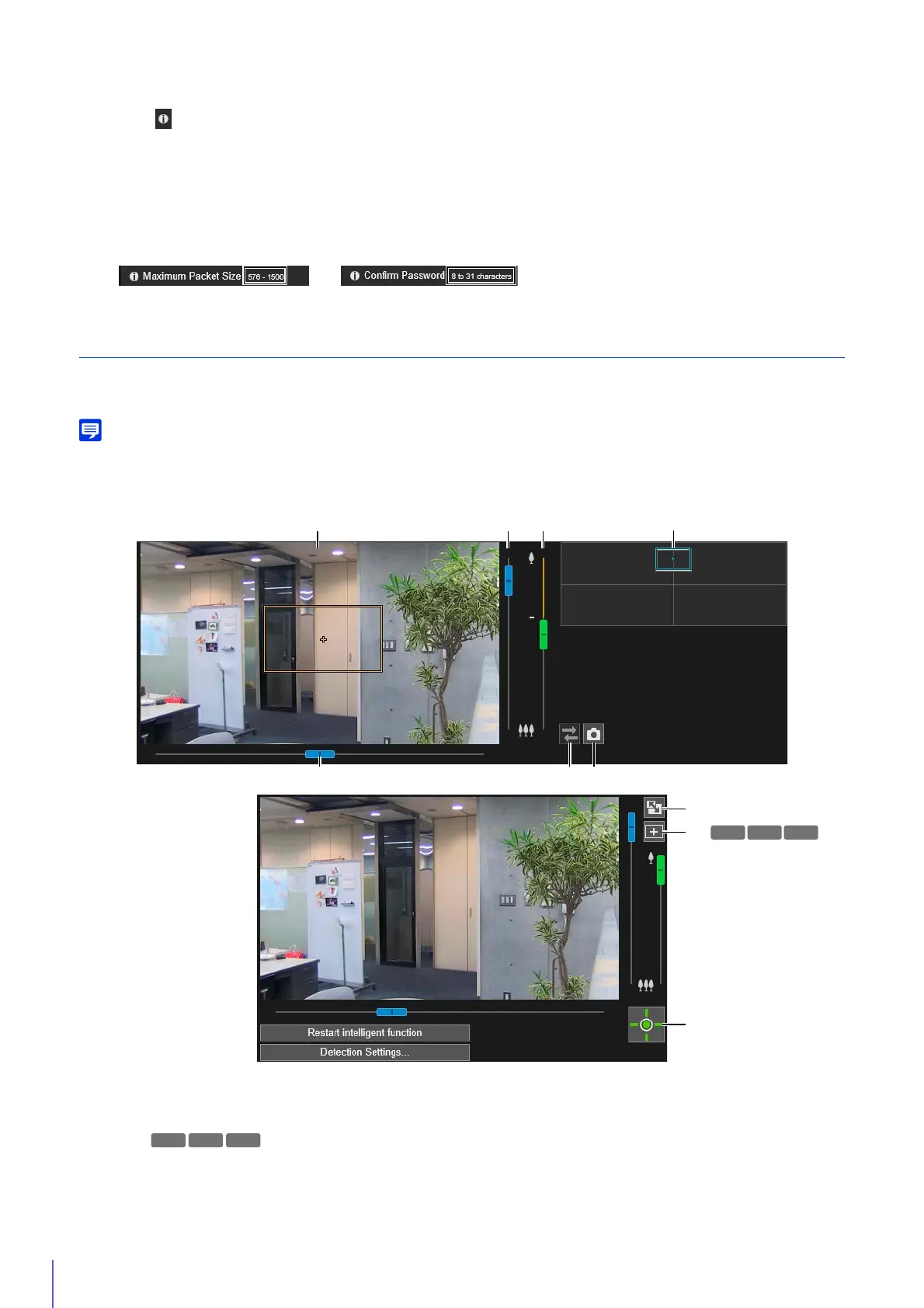
Some Setting Pages such as [Initial Settings], [Preset] and [Intelligent Function] can be configured using the video display
area.
• The displayed items will change depending on the Setting Page.
• Other users cannot access the Viewer while video is being displayed on the Setting Page. Also, video cannot be displayed or configured
while the administrator is connected to the Viewer.
(1) Video Display Area
Camera video is displayed here. Use the mouse to set the areas, etc. The operations on the video display area
are the same as in the Viewer (P. 56).
You can perform the following operations while the cursor is [+] in the video display area for some Setting
Pages.
– Centering the camera angle to the position you click (P. 56)
– Area zoom operations (P. 58)
(5)
(7)
(9)
(8)
(1) (3)
(4)
(6)(2)
(2)
HM4x
S30



 To Next Page