Camera Setup
33
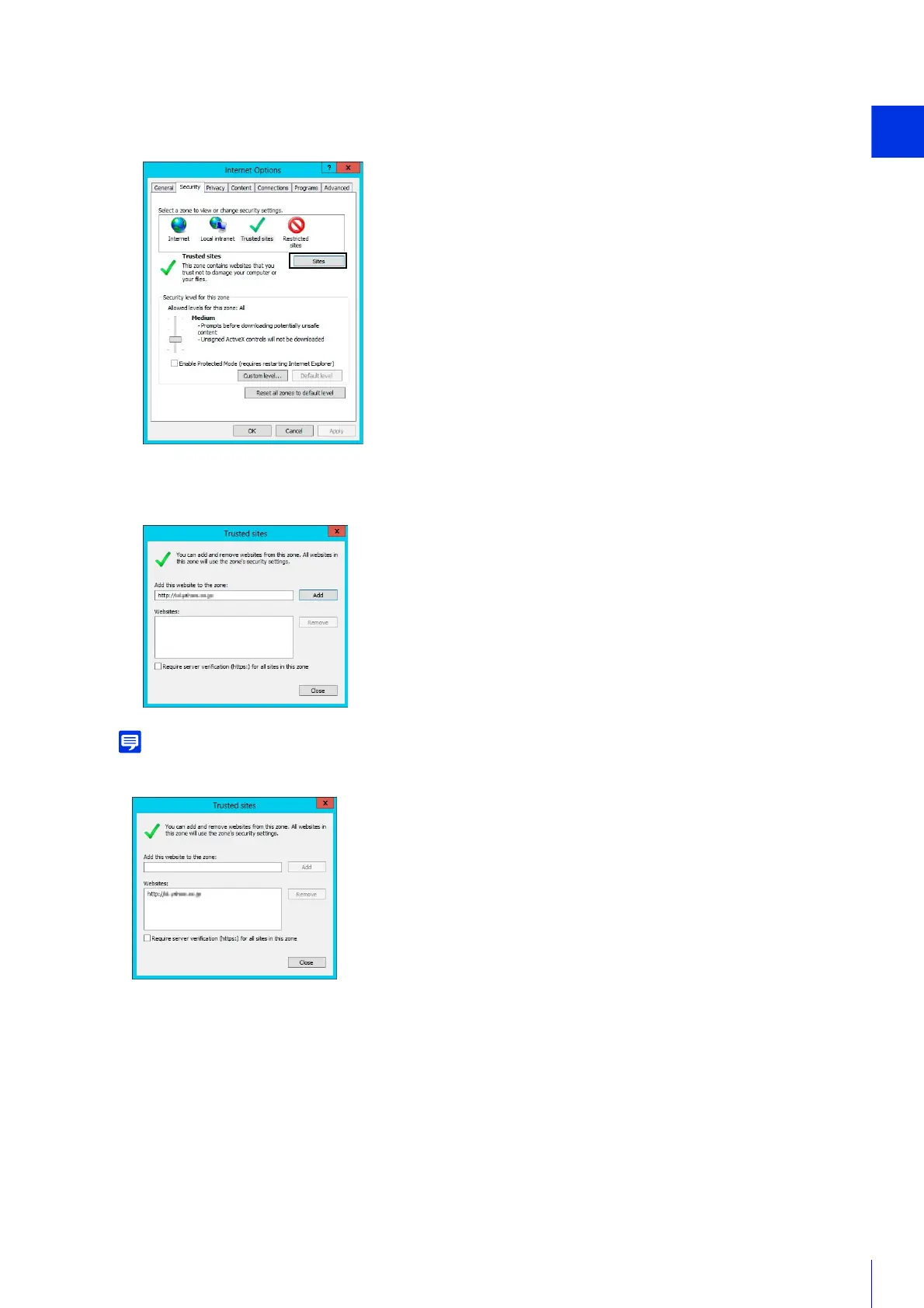
The [Trusted sites] dialog box is displayed.
• Clear the [Require server verification (https:) for all sites in this zone] checkbox if it is selected.
The camera’s IP address will be added to the [Websites] list.
• You can add IP addresses for multiple cameras by using a wildcard (*) when entering the IP address.
For example, if you enter “192.160.1.*”, all cameras that share the “192.160.1” portion of the address will be added as trusted
sites.
Sound Settings for Using the Audio Functions
In Windows Server, the sound function is disabled by default.
To use audio functions with the viewer, follow the steps below to enable the sound function.
2
Click the [Security] tab.
3
Click [Trusted sites] > [Sites].
4
Enter the IP address of the camera under [Add this website to the zone], then click [Add].



 To Next Page