Camera Viewer
43
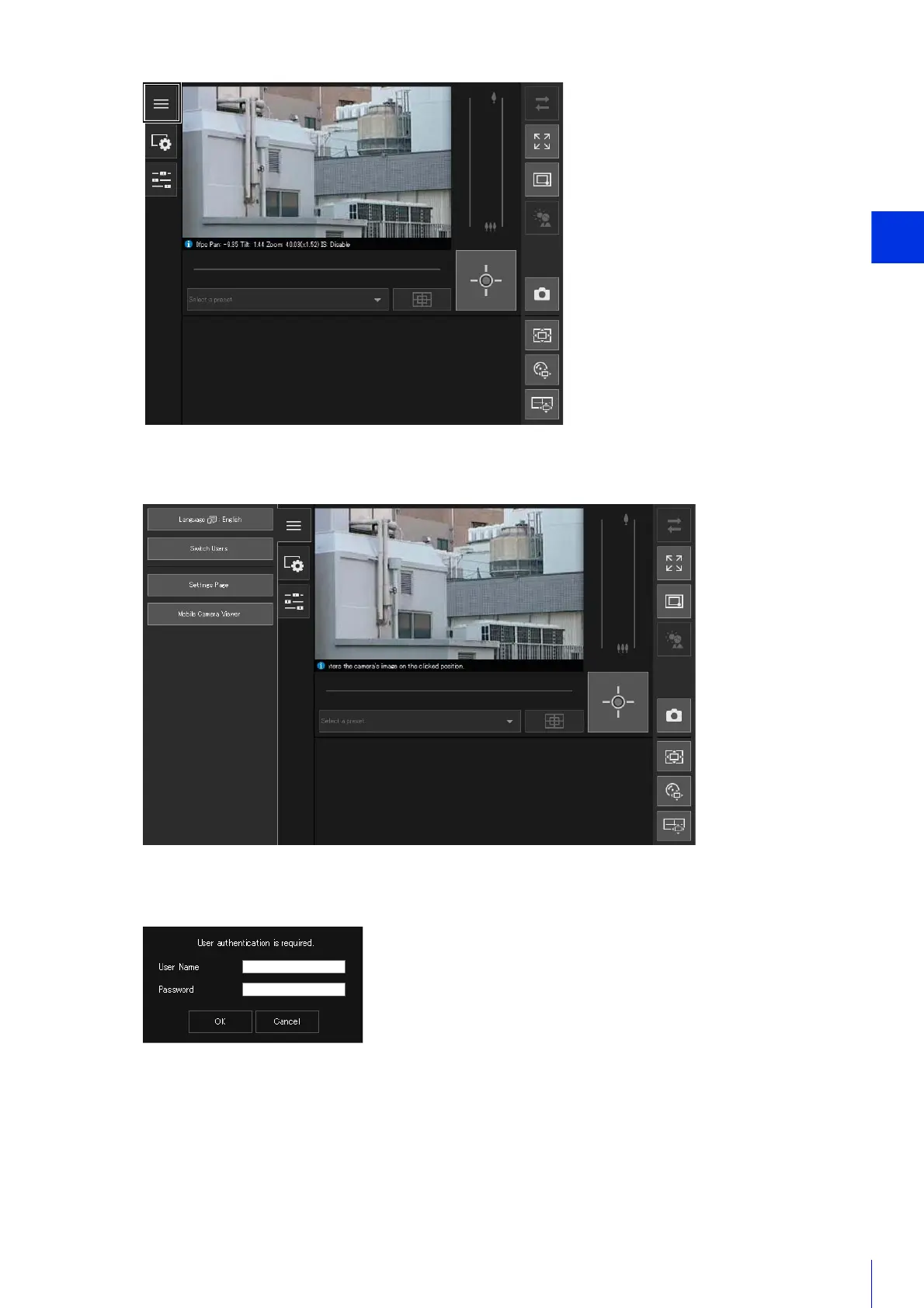
The [Main] menu will be displayed.
The user authentication window is displayed.
The Viewer for the user entered for user authentication is displayed.
Camera Viewer Access Restrictions
You can set authorized users, which require user authentication, and guest users, which do not require
authentication.
The functions that each user can use in the Camera Viewer depend on the privileges assigned to the user (P. 88).
2
Click [Switch Users].
3
Enter a user name and password and click [OK].



 To Next Page