113
Saving and Loading Settings
1
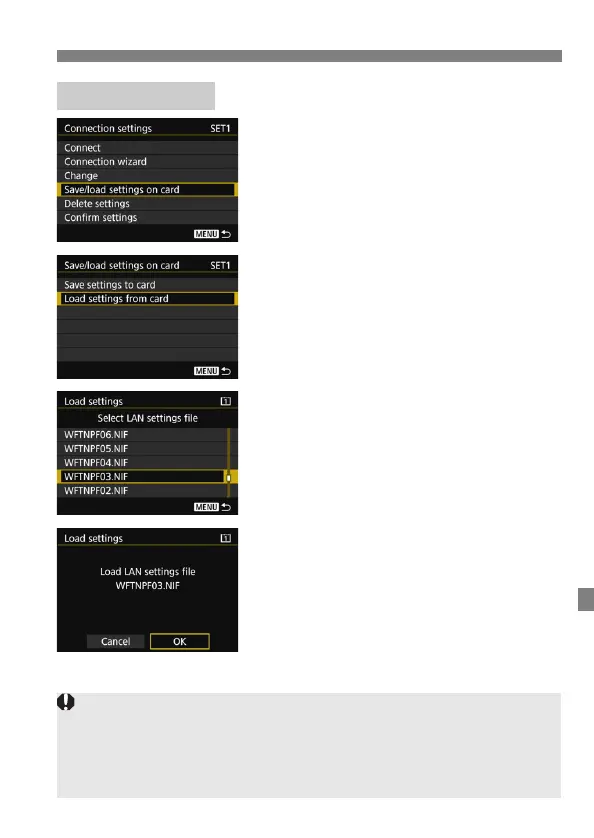
Select [Save/load settings on
card].
On the [Connection settings] screen
displayed in step 5 on page 107,
select [Save/load settings on card].
2
Select [Load settings from card].
3
Select the settings file.
Select a settings file that matches
your network environment.
4
Select [OK].
Information from the settings file is
loaded into the selected settings
number.
Loading Settings
Even if a computer or other device is used to save more than forty settings
files on one card, only forty will be displayed on the camera’s load settings
screen. To load forty-one or more settings files, first load up to forty setting
files, then load the remaining files from a card that does not contain already
loaded setting files.



 To Next Page