69
Shooting Remotely [Camera control]
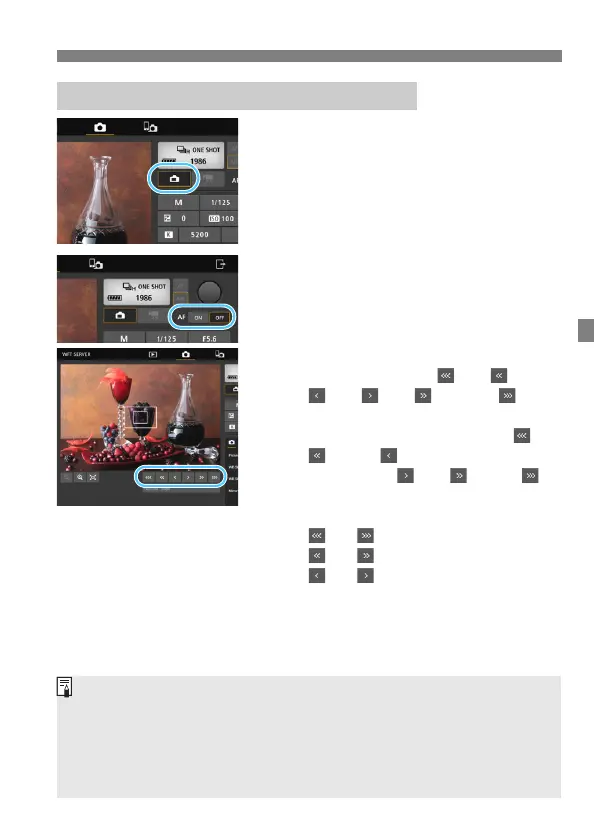
1
Display Live View image.
Press the Still photo Live View
shooting button (
15
).
2
Adjust the focus.
Using autofocus
Press [ON] on the AF button (7) to
autofocus.
Focusing manually
Press the buttons < >, < >,
< >, < >, < >, and < > to
adjust the focus.
To focus more closely, press < >,
< >, or < >. To focus farther
away, press < >, < >, or < >.
Three levels of focus adjustment are
available.
< > < >: Largest increment
< > < >: Intermediate increment
< > < >: Smallest increment
Displaying Live View Image for Shooting
If Live View image is not displayed, enable Live View shooting in the
Menu (
13
).
To make Live View image display more responsive, press the Live View
image size switching button (
23
). Live View image will be displayed at a
smaller size, improving responsiveness. To restore the original size,
press the button again.



 To Next Page