91
Using the Transmitter with WFT Server
1
Set up the slave cameras.
Perform steps 1 to 6 on page 84 for
the cameras to use as slaves. When
the next screen is displayed, the
slave cameras are ready.
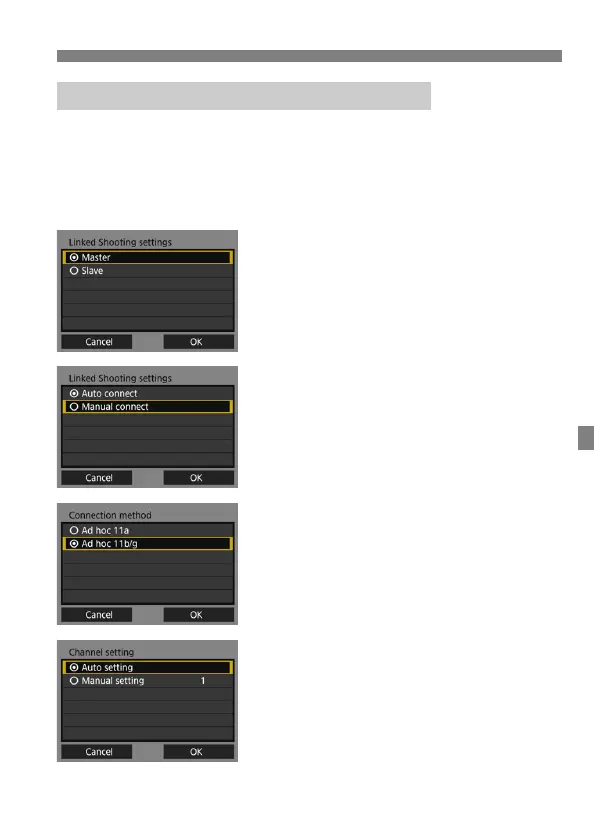
2
Set up the master camera.
Perform steps 1 to 5 on page 84 for
the camera to use as the master, then
select [Master].
Select [OK] and press <0> to go to
the next screen.
3
Select [Manual connect].
Select [OK] and press <0> to go to
the next screen.
4
Select connection method.
Select the wireless LAN ad hoc mode
supported by the computer.
Select [OK] and press <0> to go to
the next screen.
5
Specify the channel.
When selecting [Manual setting],
specify the same channel on the
master camera, slave cameras, and
computer.
Select [OK] and press <0> to go to
the next screen.
Connecting the Master and Slave Cameras



 To Next Page