92
Using the Transmitter with WFT Server
6
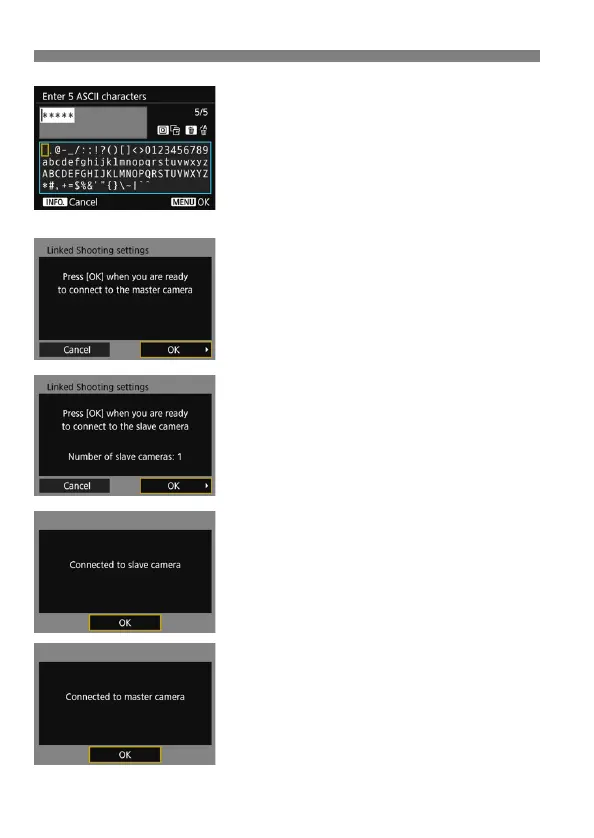
Enter the encryption key.
Enter a 5-digit encryption key
(password) and press the <M>
button.
Set the key entered here on the
computer in order to connect to the
master camera from the computer.
7
On the slave cameras, select
[OK].
On all slave cameras, select [OK].
On the master camera’s LCD monitor,
the number of slave cameras
detected is displayed.
8
On the master camera, select
[OK].
Check the number of slave cameras,
then select [OK].
9
On all cameras, select [OK].
On the master camera and all slave
cameras, select [OK].
Settings information is stored in the
camera. It is not stored in the
transmitter.



 To Next Page