3
- OPTIONAL BOARDS -
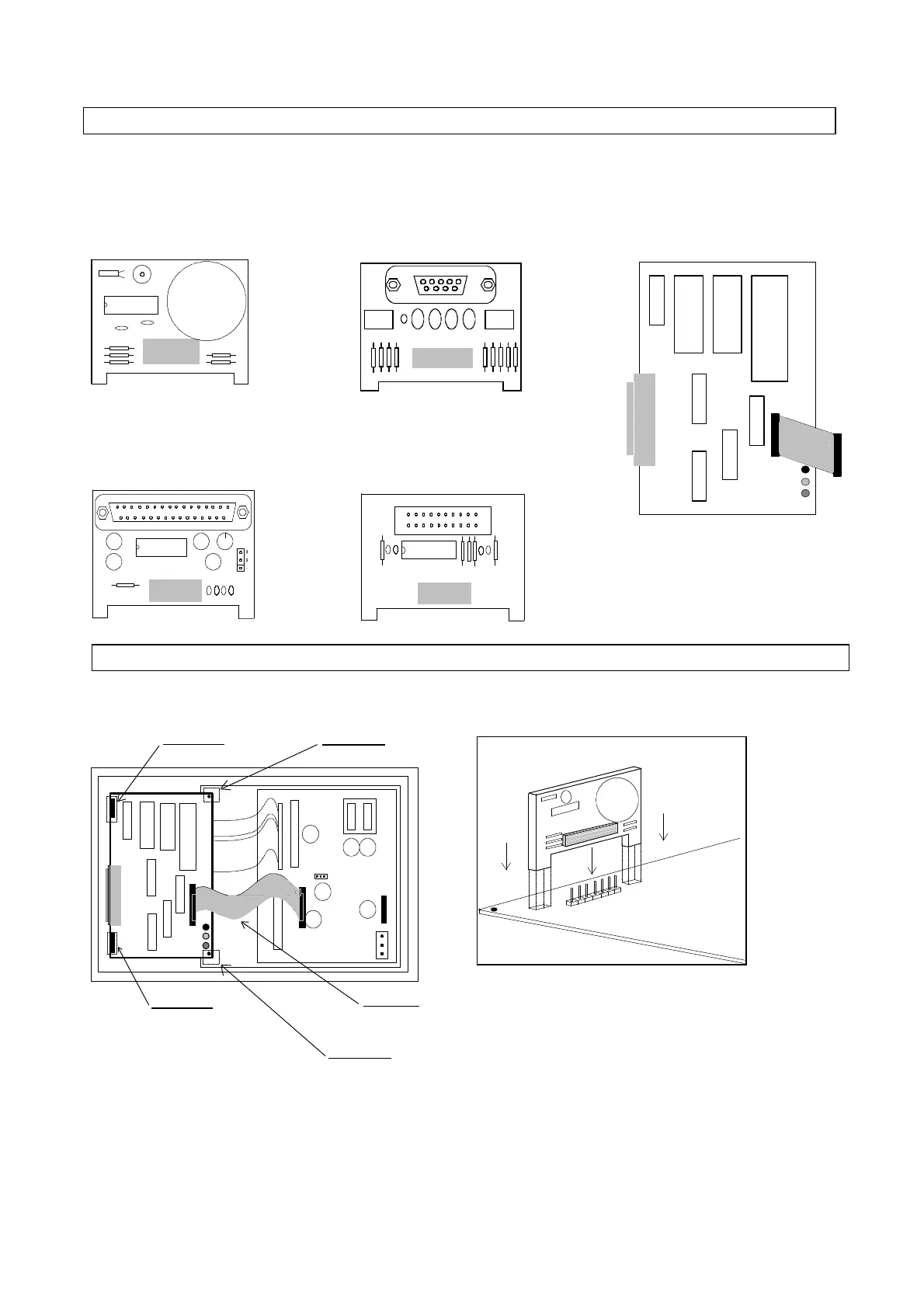
CLOCK board
(code MNEWCLOCK0)
Serial board RS422
(code MNEWRS4220)
ALFAPANEL board
(code MNEWALFA00)
RS232 serial board
(code MNEWRS2320)
- MODEM interface board
- OPTIONAL BOARDS INSTALLATION-
Interface MODEM
(code MNEWRS232C)
In order to install the optional boards correctly, please follow these
instructions:
- Remove Macroplus' cover and identify the exact position where the
optional board must be inserted. Please refer to the figure on page 1
(REAR PANEL OF MACROPLUS);
- Insert the board ensuring that the lugs fit into the slots in the main
board;
- Keep the board in a vertical position with respect to Macroplus so as
to prevent the contacts from being damaged;
- Finally, insert the male comb connector into the board' s female
connector.
ATTENTION
To install the interface, please refer to the instructions contained in
the relative "Operation guide".
Install the MODEM interface on the rear part of Macroplus as
indicated in the figure. Connect the flat cable to Macroplus as
indicated in the figure.
- Optional boards
Plastic rail
Plastic dap
Flat cable



 To Next Page