27
The display pages of the A / B coun-
ters are identical to each other.
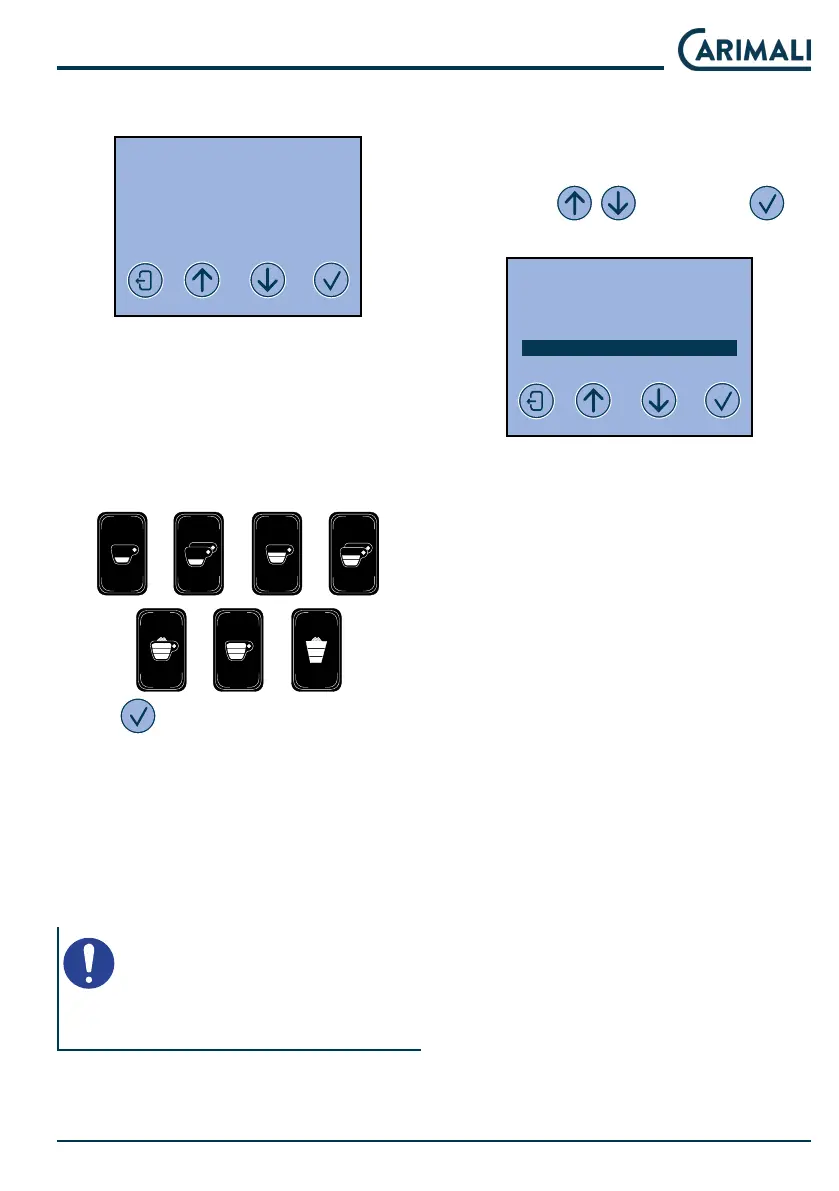
2020-MAR-30 MON 09:34
DOSES COUNTER A/B
GR n B n
XXXXX
YY
● GR n = unit number
● B n = push-button number
● XXXXX = drink name
● YY = number of drinks
Press the dose keys to view the relat-
ed counts.
Press to scroll through the coun-
ters:
● X dose total counter;
● La reset date.
● Extra milk.
● Unit 1 / 2 washing.
● Milker wash.
NOTE
The partial counters reset function
requires conrmation by the user.
4.6.2 SYSTEM MANAGER
This menu allows accessing the ma-
chine settings.
Select the SYSTEM MANAGER
menu with
and press to
access.
2020-MAR-30 MON 09:34
SELECT
INFO RESET
DOSES PROGRAMMING
SYSTEM MANAGER
The options available in the SYSTEM
MANAGER menu are:
● Programming the clock
● Service
● Alarm hiory
● Display adjument
● Machine parameters
● Password change
● Actuators te
● Boiler drain
● Machine conguration
● Pre-set conguration data










 To Next Page