30
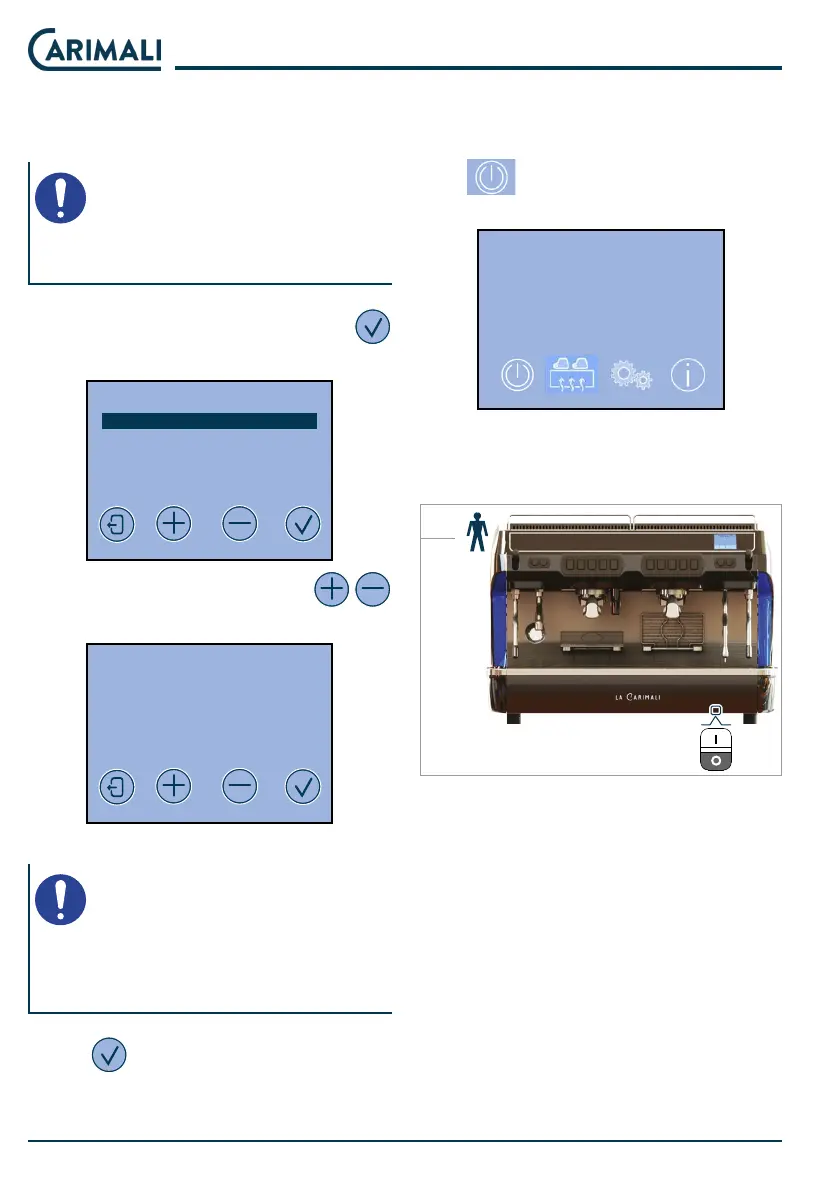
Password change
This menu allows changing the USER
PASSWORD.
NOTE
The TECHNICAL level password
cannot be changed.
Select the USER entry and press
to access the change.
PASSWORD EDIT
USER
TECHNICIAN
Set the new password with the
buttons.
PASSWORD EDIT
USER
XXXXX
Conrm
NOTE
Set a 5-digit password.
The r digit of the password can-
not be changed.
Press
to conrm.
4.7 SWITCHING OFF
To switch the machine o, press and
hold
for a few seconds. The dis-
play shows OFF.
2020-MAR-30 MON 09:34
OFF
Then press the main switch located at
the bottom in position “0”.
23










 To Next Page