EasyManua.ls Logo

CAS CI-170A - Page 53

CAS CI-170A
79 pages
Print Icon
To Next Page IconTo Next Page
To Previous Page IconTo Previous Page
Loading...
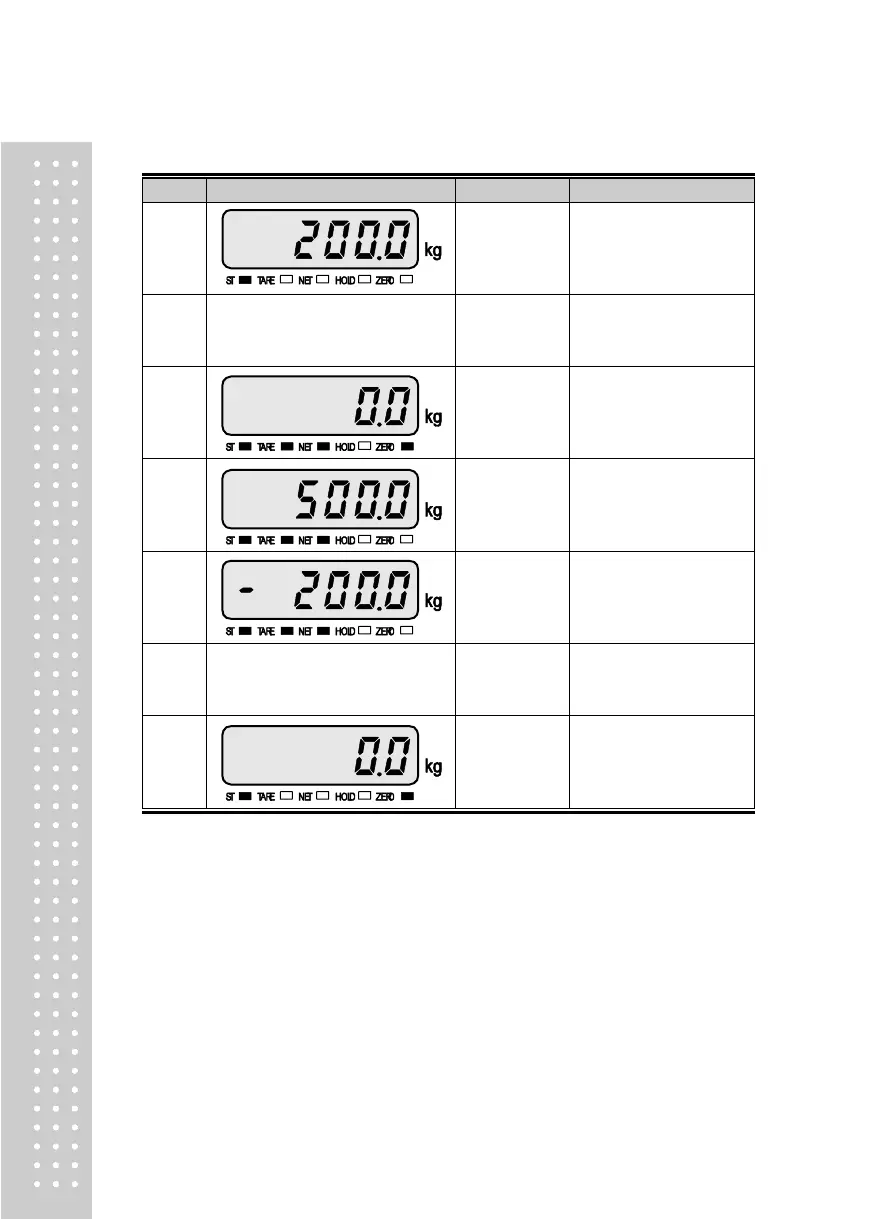
Example 2. Tare Function Usage
Display & Key
On platform
Description
Step 1
Container
Tare weight: 200kg
Step 2
TARE
Container
Store current weight as
the tare weight.
Step 3
Container
To be turned on tare
lamp means that tare is
registered in.
Net weight is on the
display.
Step 4
Container+
Content
Gross: 700kg
Net: 500kg
TARE and NET key is
turned on.
Step 5
Unload
Gross: 0.0kg
Net: -200.0kg
Tare function is turned
on.
Step 6
TARE
Unload
If you press TARE key in
unload condition, tare
setting is released.
Step 7
Unload
Gross: 0.0kg
Net: 0.0kg
Tare function is turned
off.
Note. TARE Range < maximum capacity.
Press TARE key when the weight is stable.
If you press TARE key in unload condition, tare setting is released.

Related product manuals