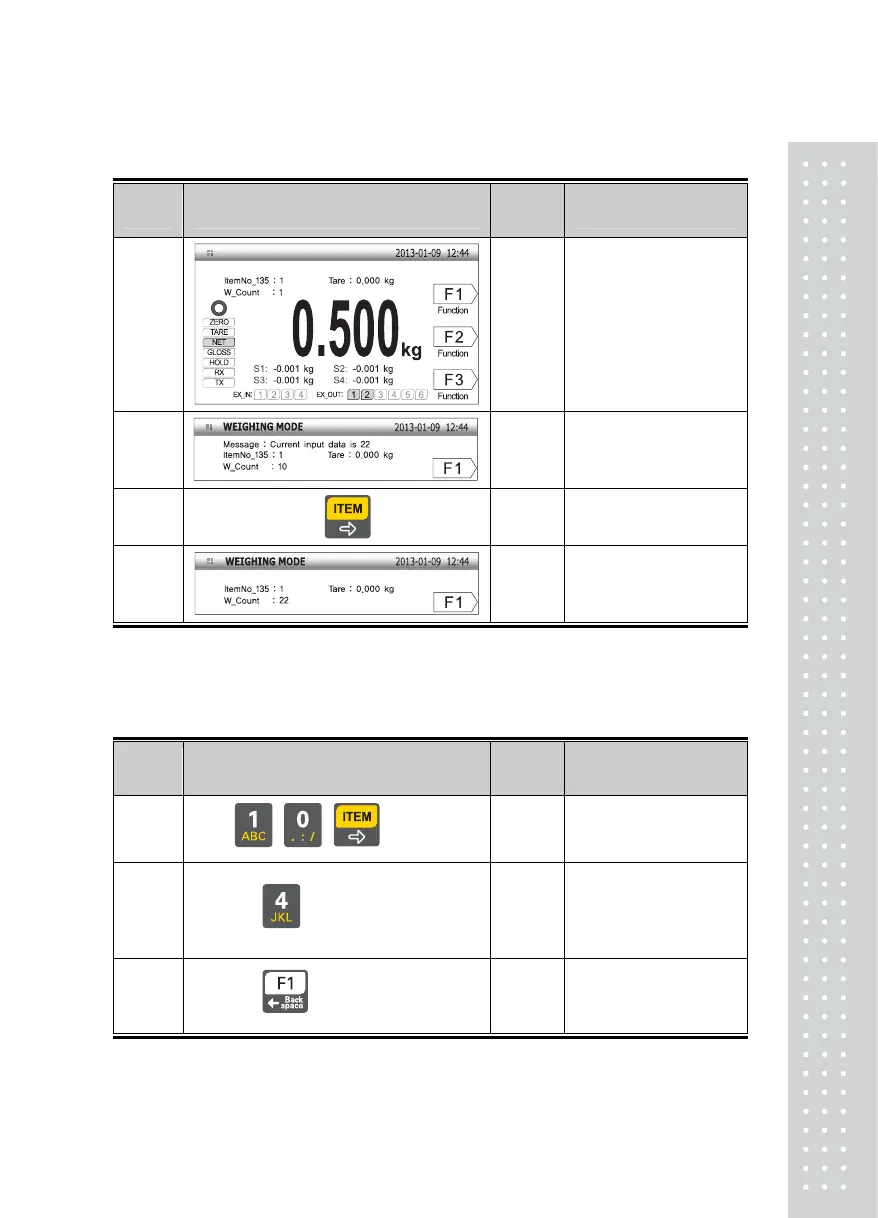
6-4. Item Number Change
Display Part or Used Keys
Load
Plate
Description
Step 1
0.500kg
Current item number is No.
10.
Step 2
Enter No.22
Step 3
Push the item number key
Step 4
Item number is
changed to No. 22
Note 1. Item number may be designated as 0~99.
6-5. Subtotal Print
■ Assume that the item number of the reinforcing bar is ’10'.
Display Part or Used Keys
Load
Plate
Description
Step 1
☞ , ,
Select the item number
code as '10'
Step 2
☞
Push No.4(Subtotal) key
“
No.4 key pushed
”
is
displayed in the message
window
Step 3
☞
The subtotal value of Item
No.10 is printed in the
designated form
Note 1. If F1 is set it for the manual print. You can use this function
Note 2. Output form is designated as follows.
41



 To Next Page