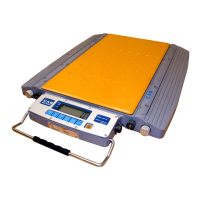
③ Full capacity setting:
Display 【FULL 】 press [TARE] key to come into the number input state.
Display 【0 0 0 0 0 0】 press [TARE] key,indicate symbol▼will move to right one step
by step to which input position you want, and press [ZERO] to add
value to adjust the number you need, press [TARE] to adjust all the
numbers you need until input the full capacity you need, and press
[HOLD] or confirmation and indicator will come into next
parameter setting.
For example, when it displays 【0 2 5 0 0 0】 press [HOLD] key for confirmation and will
come into zero point setting calibration state.
④ Zero calibration:
Display 【nOLOAD】 Insure there’s no loads on the platform and wait until the stable
indicate symbol▼display, then press [HOLD] key , zero
calibration finished, and indicator come into full capacity calibration
state.
⑤ Full capacity calibration:
Display 【AdLOAD】 Put weights on the platform and press [TARE] key to come into
input state after stabilization.
Display 【0 0 0 0 0 0 】 Press [TARE] key,the indicate symbol▼move to right and to the
position which can select number input, press [ZERO] key to add
number and until input the number you need and then
press [TARE] key , the indicate symbol▼move to right and to the
position which you can select number input ,press [ZERO] key to
add number until get the number as same as the weight value of the
weight. Press [HOLD] key for confirmation and finish the full
capacity calibration state.
Display 【 End】
⑥ Press [CLEAR] key and back to weighing state and new parameters take effects. At this time you
can also keep pressing [HOLD] key to other parameters.



 To Next Page