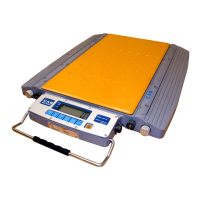
Calibration Description
Properly connect the signal source and power supply to preheat the indicator for 15-30
minutes when there is no load on weighing platform.
After lead sealing is broken, please insert short connecting ring to connect pin J7 on the indicator
main board, and allows the indicator to be calibrated.
circuit board is setting as default that allows calibration, new indicator can omit this step),then
operate as following steps(after calibration, lead sealing again):
(1) Press [HOLD] key during startup initialization, the indicator will come into calibration state.
① Division setting:
Display 【d X 】 press [TARE] key to choose 1,2,5,10,20,50,press [HOLD] key for
confirmation, and will enter into next parameter setting,
press [TARE] key for automatic step-by -step cycle display.
Display 【d X 】
Display 【d 1 】
Display 【d 2 】
Display 【d 5 】
Display 【d 10 】
Display 【d 20 】
Display 【d 50 】
Display 【d 1 】
For example, press [HOLD] key when it shows【d 5】,now the division is setting to 5, and
will come into decimal point setting state automatically.
② decimal point setting :
Display 【P X】 press [TARE] key to choose 0、1、2、3,press [HOLD] for
confirmation, and will come into next parameter setting automatically. Press [TARE] key for
automatic step-by-step cycle display.
Display 【P 0】
Display 【P 0.0】
Display 【P 0.00】
Display 【P 0.000】
Display 【P 0】
For example, press [HOLD] key when it shows【P 0.000】,now the decimal point setting is
0.000,and will come into full capacity setting state automatically.



 To Next Page