- 13 -
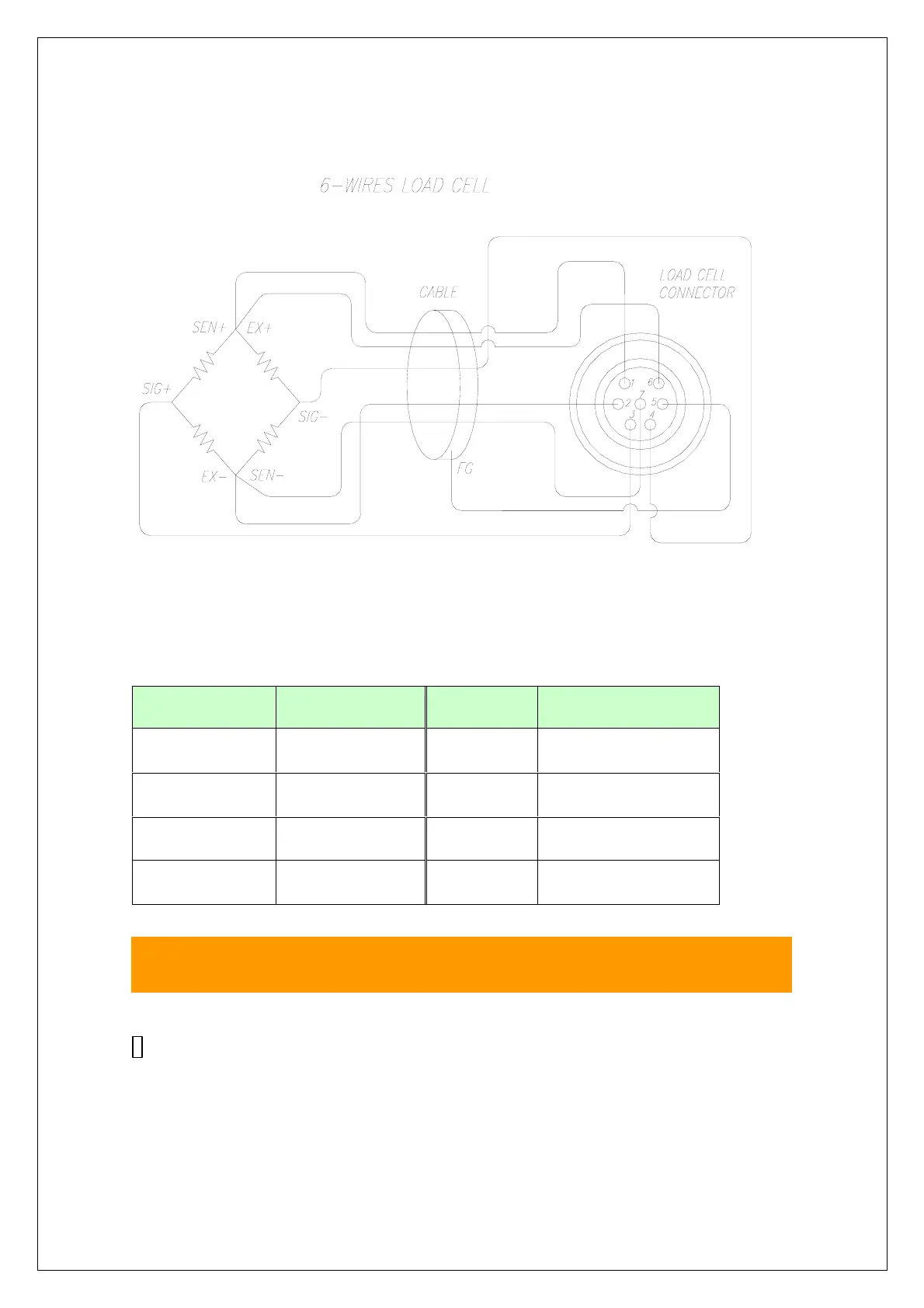
Note: Wire color can be different depending on the manufacturer or
Load cell’s model
8. Test Mode
How to Go to Test Mode
To go to Test mode, press the [TARE]+[UNIT] key in starting mode
until being displayed the message of "
tESt
"
.
In Test mode, Back-light is On.
PIN COLOR PIN COLOR
1 (EXC+) RED 5(SHIELD) SHIELD
2 (EXC-) WHITE 6 (SEN+) BROWN
3 (SIG+) GREEN 7 (SEN-) BLACK
4 (SIG-) BLUE



 To Next Page