7-MAINTENANCE
Powershuttletransmission-Screenltercleaning
1.Movethemachinetoalevelandrmground.
2.Raisetheloaderattachmentandinstallthesafetysup-
portstrut.
3.Placethebackhoeattachmentintheroadtravelposi-
tion.
4.Placethedirection-of-travelleverandgearshiftleverin
neutralposition.
5.Immobilizethemachinewiththeparkingbrake.
6.Stoptheengineandremovethestarterswitchkey.
7.Openandraisetheengineguard.
LEEN11T0354AA1
8.Placeacontainerwithsuitablecapacityunderthe
screenlter.
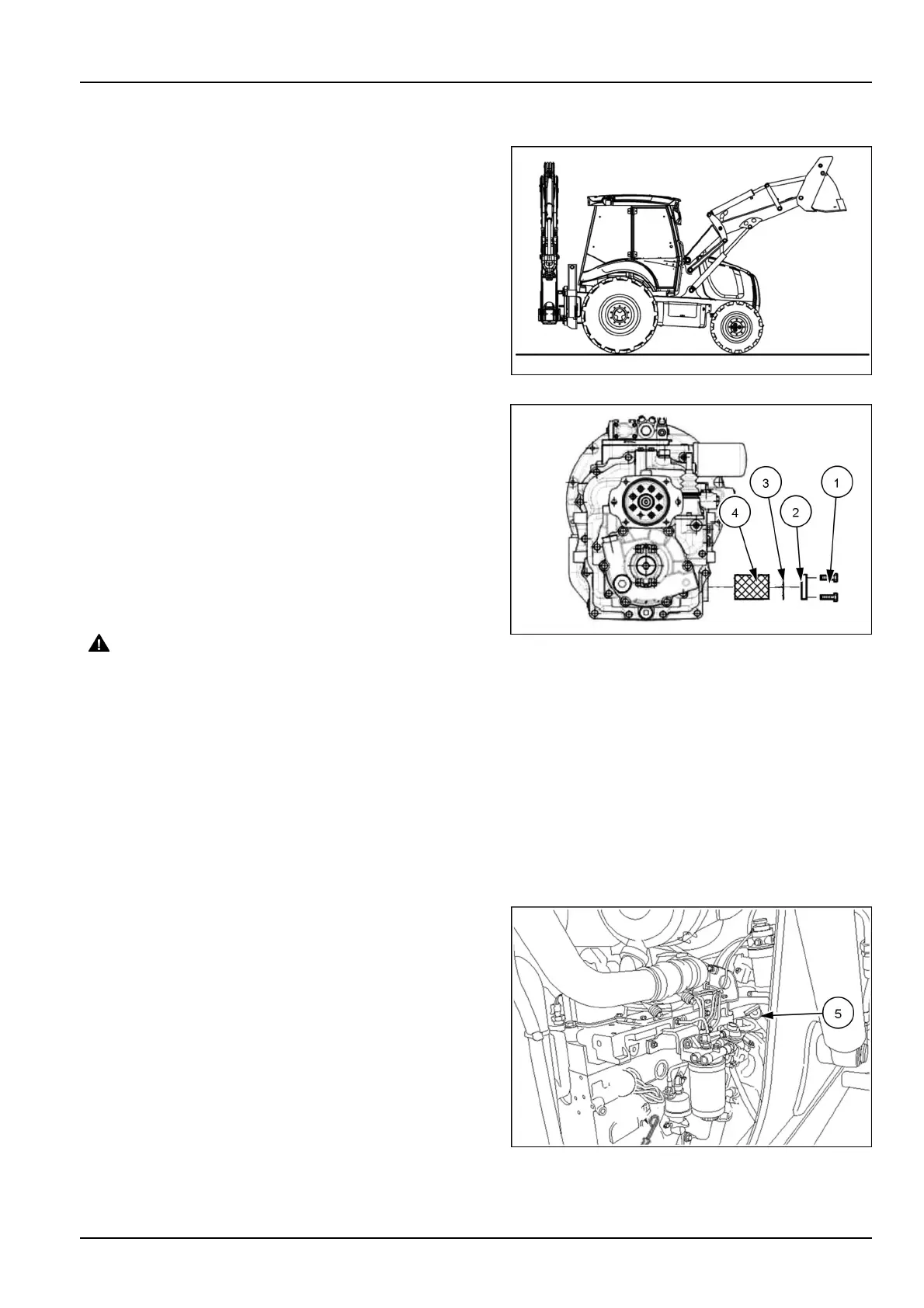
9.Cleantheareaaroundthecoverplate(2).
10.Loosenandremovethescrews(1).
11.Removethecoverplate(2),checktheconditionsof
theO-ring(3)andreplaceit,ifnecessary.
12.Removethescreenlter(4).
13.Cleanthelterwithadetergentsolution.
NOTICE:Followtheinstructionsforthedetergentsolution.
CAUTION
Flyingdebris!
Compressedaircanpropeldirt,rust,etc.into
theair.Weareyeandfaceprotectionwhenus-
ingcompressedair.
Failuretocomplycouldresultinminorormod-
erateinjury.
C0049A
Carefullydrythescreenlter(4)withcompressedair
andreinstallit.
14.Reinstallthecoverplate(2)andfastenitwiththe
screws(1).Tightenthescrewstoatorqueof23N·m
(16.96lbft).
LEEN11T0406AA_22
15.Removethedipstick(5)andtopuptheoilthroughthe
dipstickhole.Thenrestorethedipstick(5)intoplace.
16.Checktheoillevelwiththedipstickand,ifnecessary,
addmoreoil.
17.Lowerandlocktheengineguard.
18.Removethesafetysupportstrutandlowertheloader
attachment.
RAIL15TLB0174AA3
7-79



 To Next Page