CEL-712 Microdust Pro Real-time Dust Monitor
18 Casella Measurement
Status
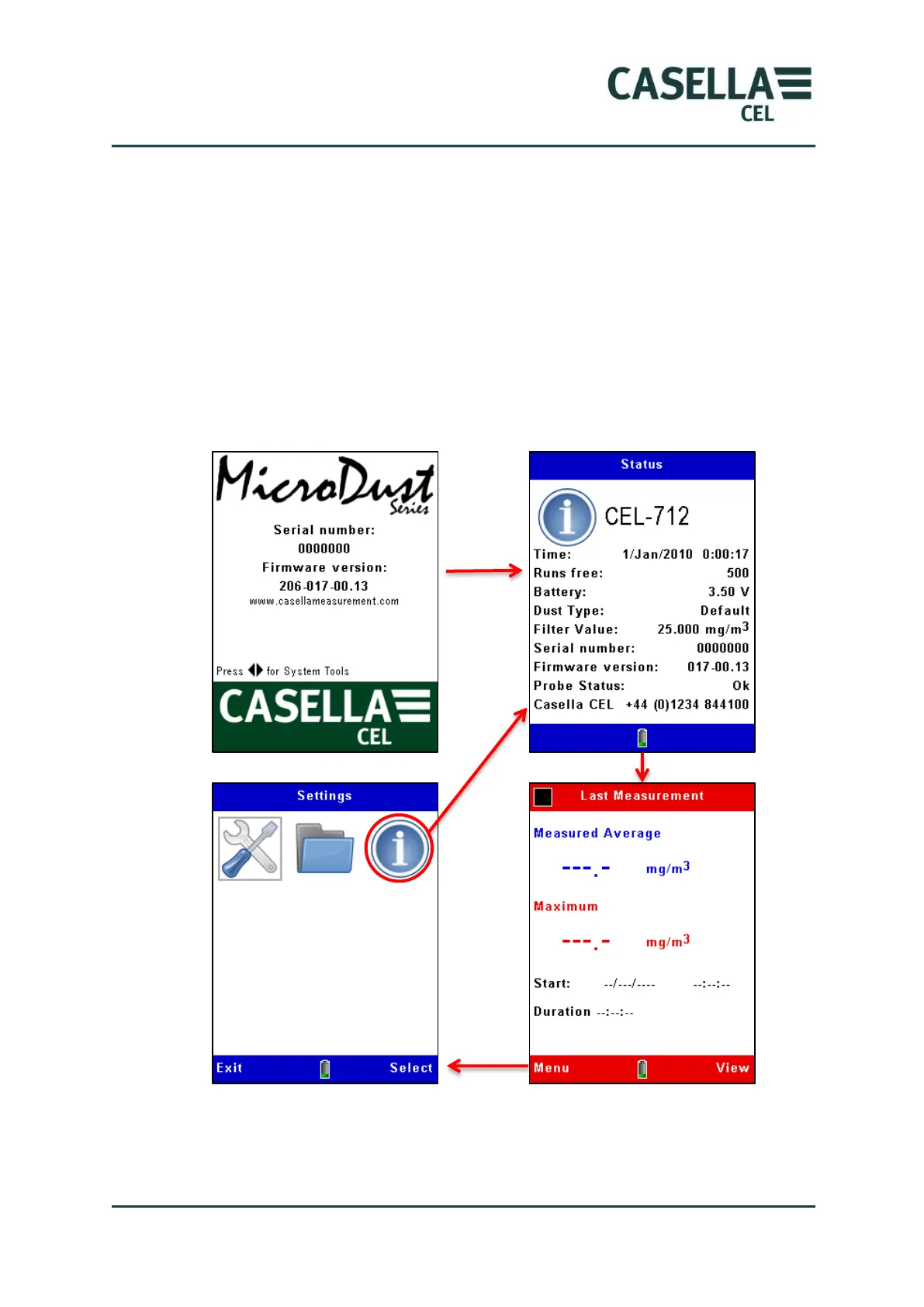
Following a short delay after switch on, the Status screen is displayed. This
read-only screen shows the status of some instrument settings. Press the Exit
soft key to close the Status screen and to show the instrument’s measurement
screens in Stop mode (which means there is no measurement Run in progress).
The measurement screens in Stop mode have red bars at the top and bottom.
You can also access the instrument’s Status screen by selecting the
Instrument Status icon in the Settings screen, and pressing the Select soft
key. See the example screens in Figure 5.
Figure 5 Status screen
If the instrument has recorded a measurement Run since it was switched on,
the measurement screen will show the average and maximum readings from
that Run. Otherwise, the data fields will be null:- ‘---.-‘.



 To Next Page