EasyManua.ls Logo

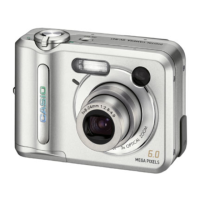
Casio QV-R62 - User Manual

Casio QV-R62
207 pages
Print Icon
To Next Page IconTo Next Page
Loading...
E
Digital Camera
QV-R62
User’s Guide
K813PCM1DKX
Thank you for purchasing this CASIO
product.
Before using it, be sure to read the
precautions contained in this User’s Guide.
Keep the User’s Guide in a safe place for
future reference.
For the most up-to-date information about
this product, visit the CASIO Website at
http://world.casio.com/.

Table of Contents

Questions and Answers

  • C
    Cody SkinnerSep 9, 2025
    Why are images not displayed on my Casio Digital Camera?
    • C
      Christopher WellsSep 10, 2025
      Images may not be displayed on your Casio Digital Camera if a memory card with non-DCF images recorded with another camera is loaded. Use a different card, as this camera cannot display non-DCF images recorded onto a memory card using another digital camera.
  • J
    Jamie StevensonSep 12, 2025
    What to do if all buttons and switches are disabled on my Casio QV-R62 Digital Camera?
    • S
      Scott PetersonSep 12, 2025
      If all buttons and switches are disabled on your Casio Digital Camera, it might be due to a circuit problem caused by electrostatic charge or impact while the camera was connected to another device. Remove the batteries from the camera, reinsert them, and then try again.
  • J
    jorgebrownSep 14, 2025
    Why is the monitor screen off on my Casio Digital Camera?
    • T
      Timothy MaciasSep 14, 2025
      The monitor screen might be off on your Casio Digital Camera because USB communication is in progress. Disconnect the USB cable after confirming that the computer is not accessing camera memory. Alternatively, the monitor screen might be turned off. Press [DISP] to turn it on.
  • R
    Rachel GonzalesSep 16, 2025
    How to fix cannot transfer files over a USB connection with Casio QV-R62 Digital Camera?
    • B
      Brittany MooreSep 16, 2025
      If you cannot transfer files over a USB connection with your Casio Digital Camera, check all connections to ensure the USB cable is securely connected. Ensure that the USB driver is installed on your computer. Also, make sure the camera is turned on.

Summary

INTRODUCTION

Product Features

Lists key specifications and capabilities of the digital camera.

Precautions

General Safety Guidelines

General safety advice for camera operation and handling.

Flash Safety Warnings

Safety advice regarding the use of the camera's flash unit.

Battery Safety

Guidelines for safe handling and use of camera batteries.

Quick Start Guide

Load Batteries

Step-by-step instructions for inserting batteries into the camera.

Record an Image

Basic steps to capture a photograph using the camera.

Getting Ready

General Camera Guide

Overview of camera components, buttons, and switches.

Monitor Screen Indicators

Explains the meaning of indicators and icons on the REC and PLAY mode screens.

Power Requirements

Details on power sources, battery types, and AC adapter.

Basic Image Recording

Recording an Image

Step-by-step guide to capturing still images with the camera.

Aiming the Camera

Proper techniques for holding the camera to prevent blur.

Using the Flash

How to select and use different flash modes for recording.

Casio QV-R62 Specifications

General IconGeneral
ModelQV-R62
CategoryDigital Camera
Effective Pixels6.0 million
Optical Zoom3x
Digital Zoom4x
LCD Screen Size2.0 inches
ISO RangeAuto, 50, 100, 200, 400
USBUSB 2.0
Maximum ApertureF2.8 - F4.9
Image StabilizerNo
Storage MediaSD Card
Battery TypeLithium Ion
Video Recording320 x 240 at 15 fps
Image Sensor1/1.8-inch CCD
Focal Length7.9 - 23.7 mm (equivalent to 38 - 114 mm in 35mm format)

Related product manuals