32
Wireless Basic Section
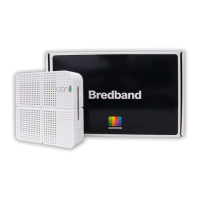
This section allows you to configure basic features of your Wi-Fi wireless network.
You can enable or disable the wireless interface, hide the network from active
scans, set the wireless network name (also known as SSID) and select the working
channel.
Field Descriptions for the Wireless Basic Section
Field Description
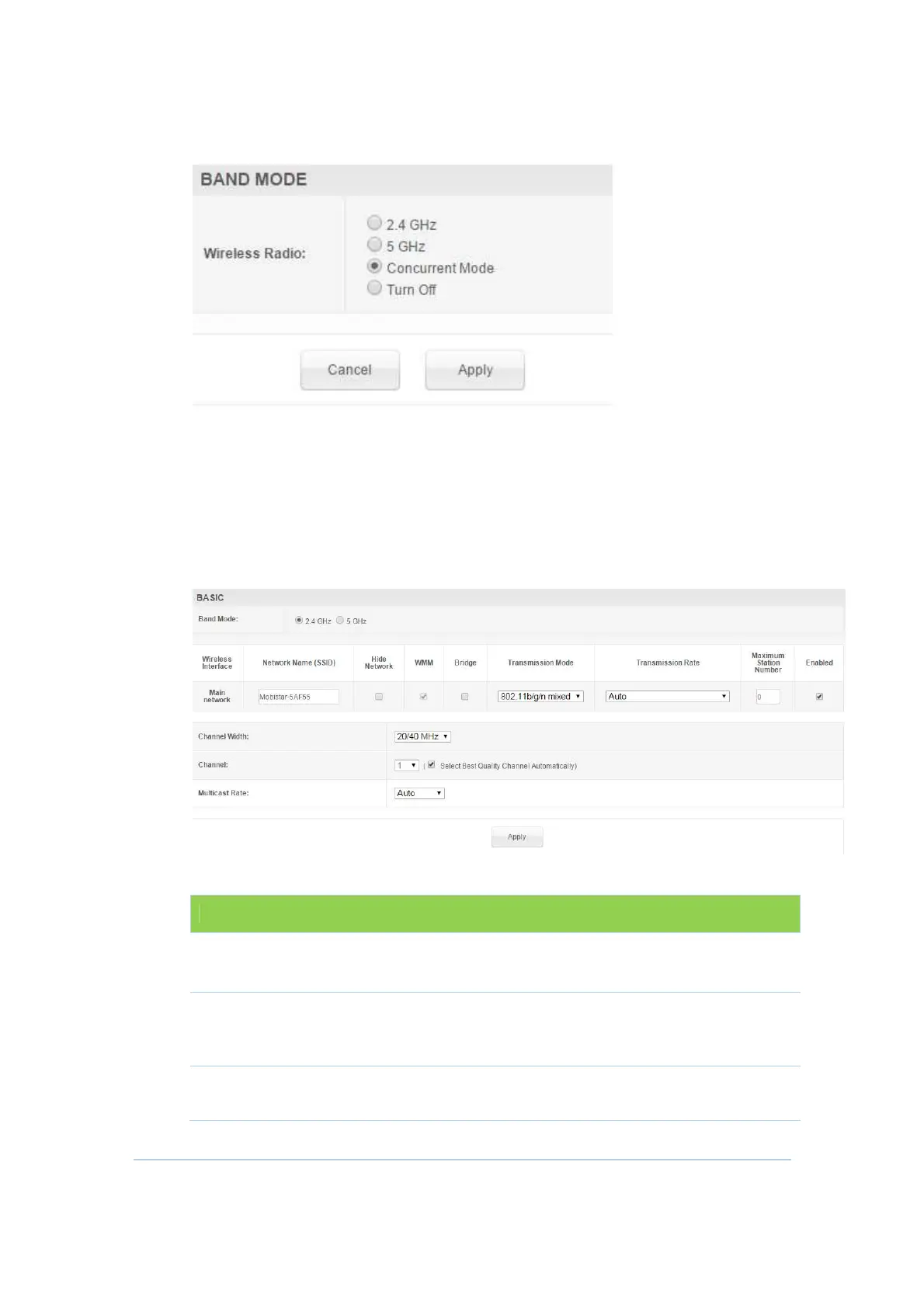
Band Mode
Select the band mode you want to set and this
option appear only on Concurrent Mode.
SSID
Set the Network Name (also known as SSID) of the
Primary wireless network. This is a 1-32 ASCII character
string.
Hide Network
Users can type the SSID into the client application
instead of selecting the SSID from a list. This feature


 To Next Page