50
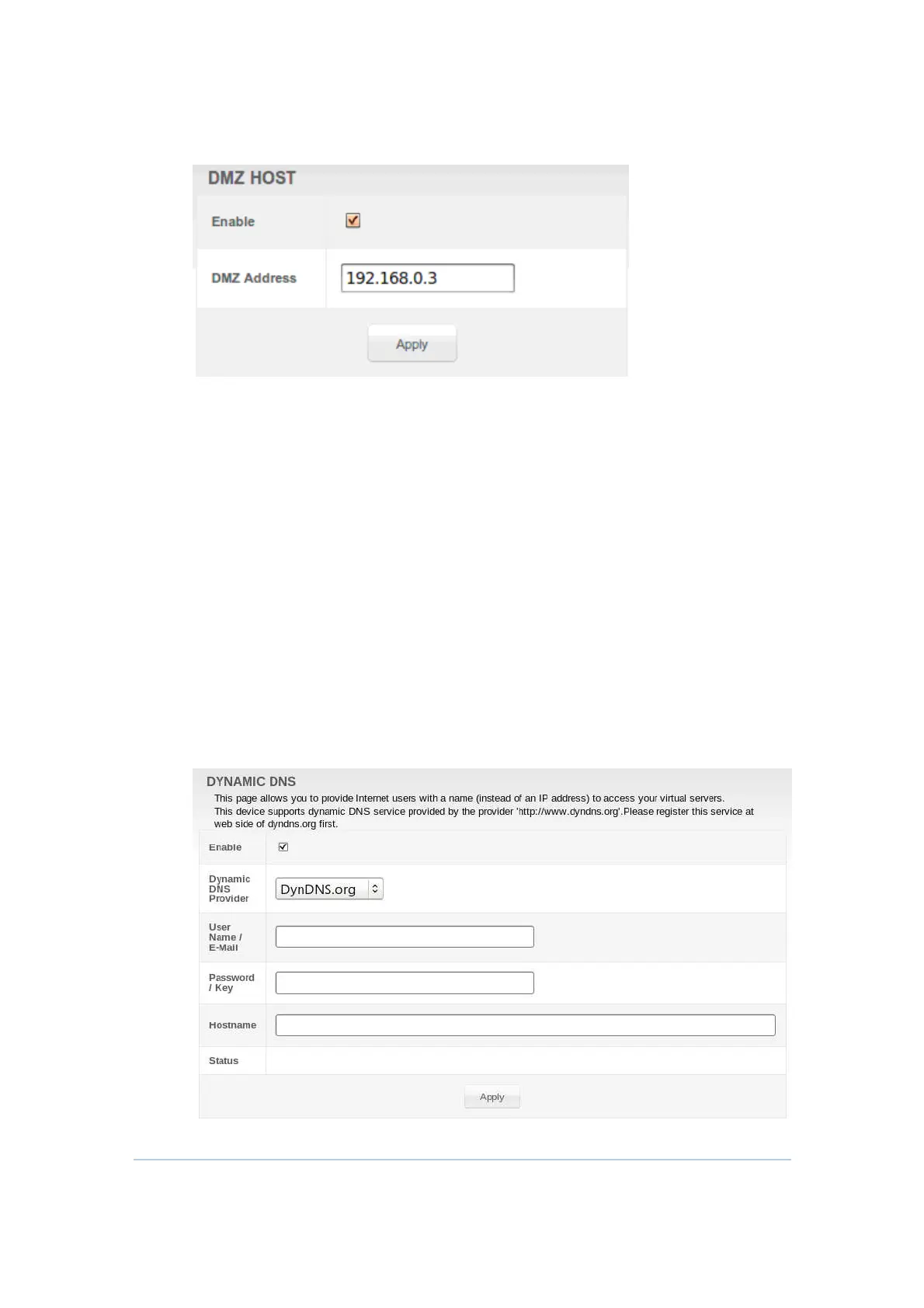
You may configure one PC to be the DMZ host. This setting is generally used for
PCs using problem applications that use random port numbers and do not
function correctly with specific port triggers or the port forwarding setups
mentioned earlier. If a specific PC is set as a DMZ Host, remember to set this back
to zero when you are finished with the needed application, since this PC will be
effectively exposed to the public Internet, though still protected from Denial of
Service (DoS) attacks via the Firewall.
Setting Up the DMZ Host
1.
Enter the computer’s IP address and select
Enable
checkbox.
2.
Click
Apply
to activate the selected computer as the DMZ host.
Advanced Dynamic DNS
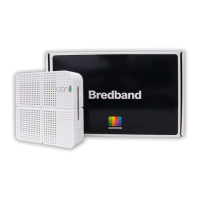
This section allows you to provide Internet users with a name (instead of an IP
address) to access your virtual servers. CH6643E supports dynamic DNS service
provided by DynDNS.org, ChangeIP.com, No-IP.com and TZO.com. Please
register this service at web site of them first.


 To Next Page