34
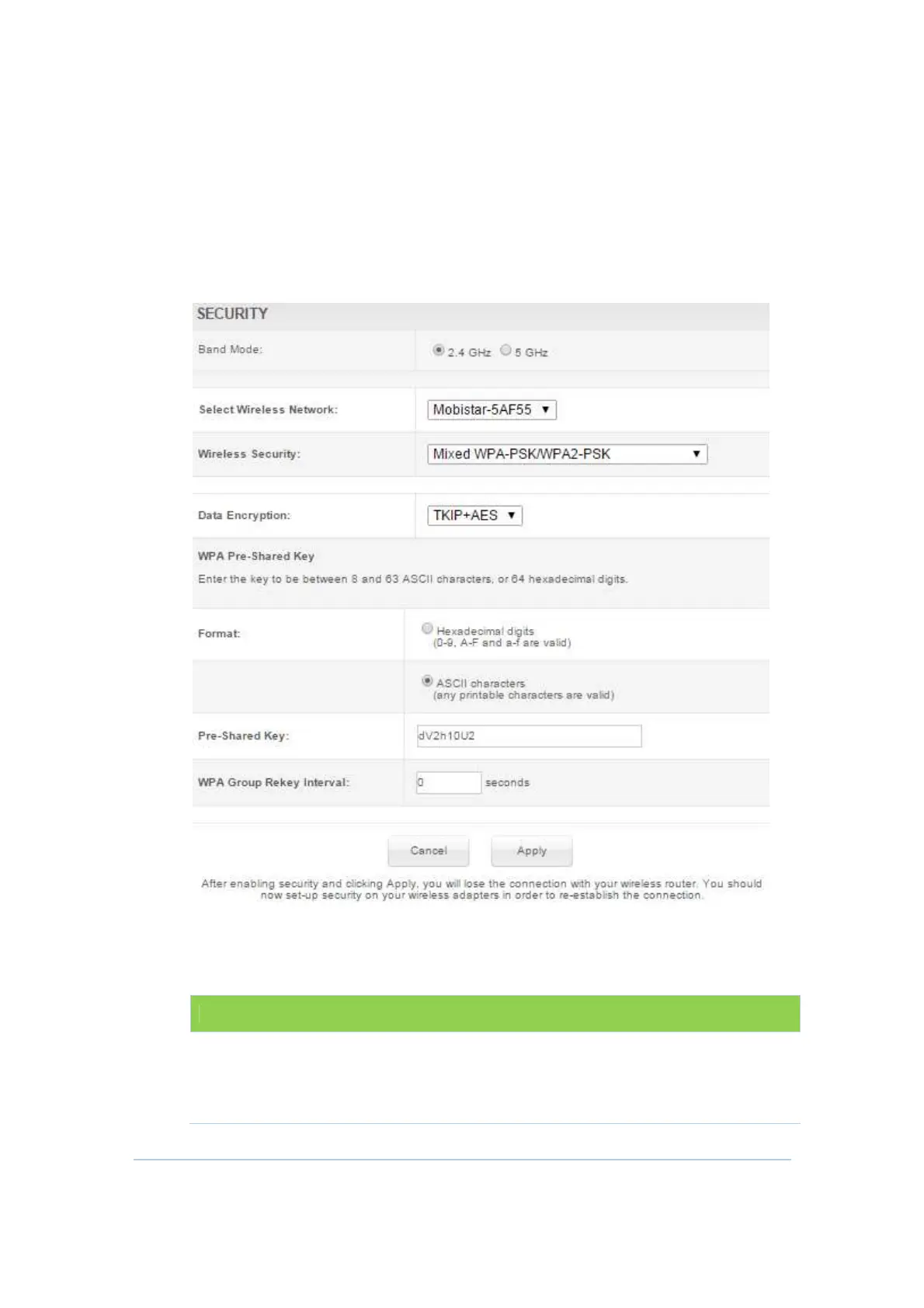
Wireless Security Section
This section allows you to protect your Wi-Fi wireless network by specifying WEP,
802.1x, WPA, or WPA2 wireless security. Before setting up security, ensure that your
wireless adaptors support the same type of security.
The default type of security is Mixed WPA-PSK/WPA2-PSK. Field of Mixed WPA-
PSK/WPA2-PSK, WPA2-PSK and WPA-PSK are the same.
Field Descriptions for Mixed WPA-PSK/WPA2-PSK, WPA2-PSK and WPA-PSK section
Field Description
Data Encryption
When using WPA or WPA2 authentication, these
WPA encryption modes can be set: TKIP, AES, or
TKIP + AES. AES (Advanced Encryption Standard)
provides the strongest encryption, while TKIP


 To Next Page