Manual - CCV Edge/Frame IM15
© 2024, CCV GmbH. All rights reserved. No parts of this publication may be reproduced, stored in a retrieval system, or
transmitted in any form by any means, electronic, mechanical, photocopying, recording or otherwise, without the written
permission of CCV GmbH.
4. Setup and usage
4.1 Powering on/off
The product can be powered through the following connections:
• Digital I/O & power connector
• MDB connector
• RS-232 (RJ-45) connector
Please see the technical specifications for accepted voltage levels and power consumption.
The device does not have a power button and will immediately power on/off when the power supply is
connected/disconnected.
CAUTION: The power supply provided by CCV is for development purposes only. Field-installed
products must be powered by a fixed power unit which complies with local regulations for
electrical installations.
4.2 Contactless card-reader
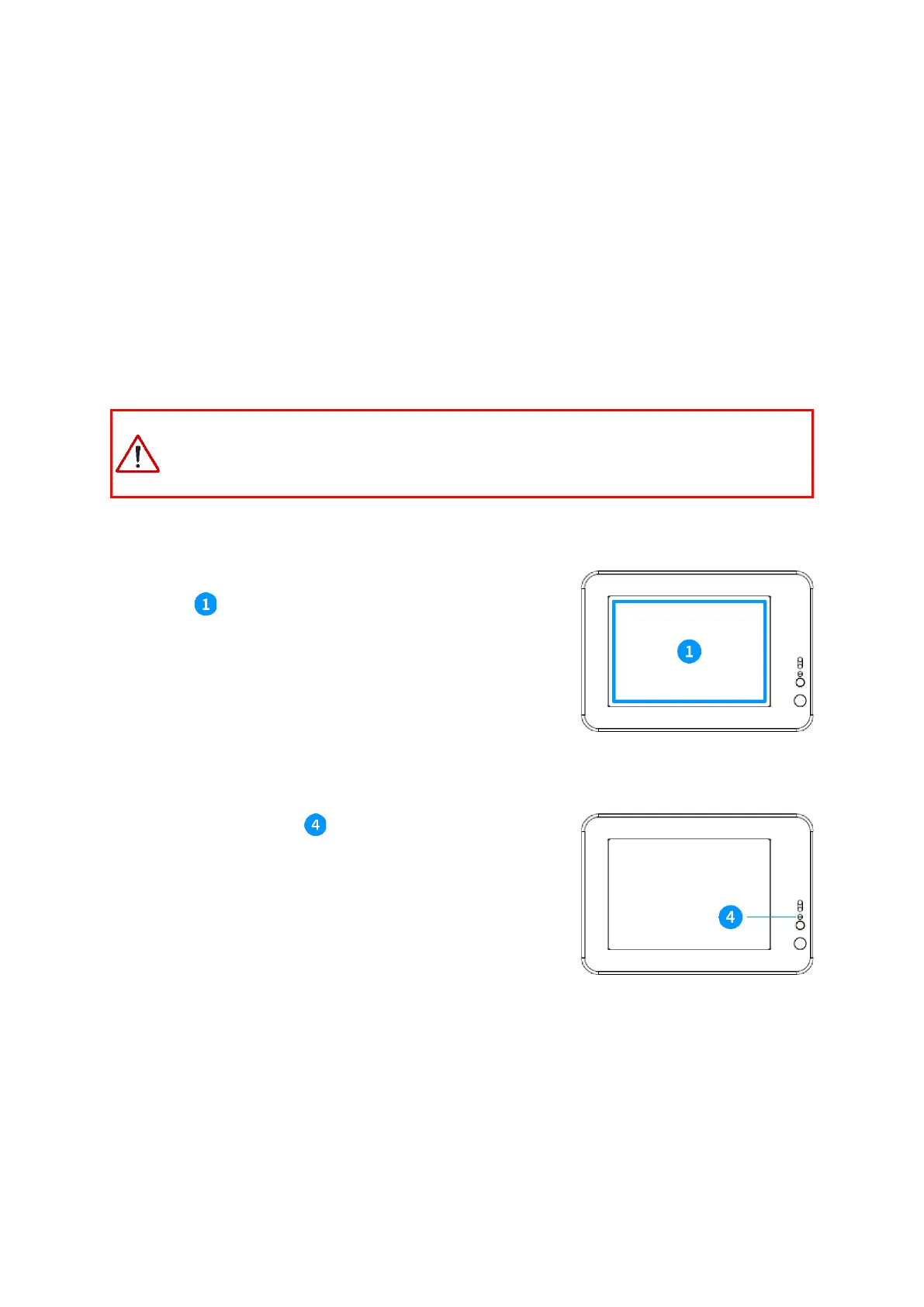
The product has a contactless card reader built-in, located around the
front display . Whenever the device is ready to accept a contactless
transaction, an indication will be shown on the screen of the device.
For best performance, position the contactless payment card in the
centre of the front-screen at a distance of 0 to 4 cm.
The front status LED indicator is software controlled and will fade
on/off when the device is in sleep mode.



 To Next Page