48/60
• Torch trigger.
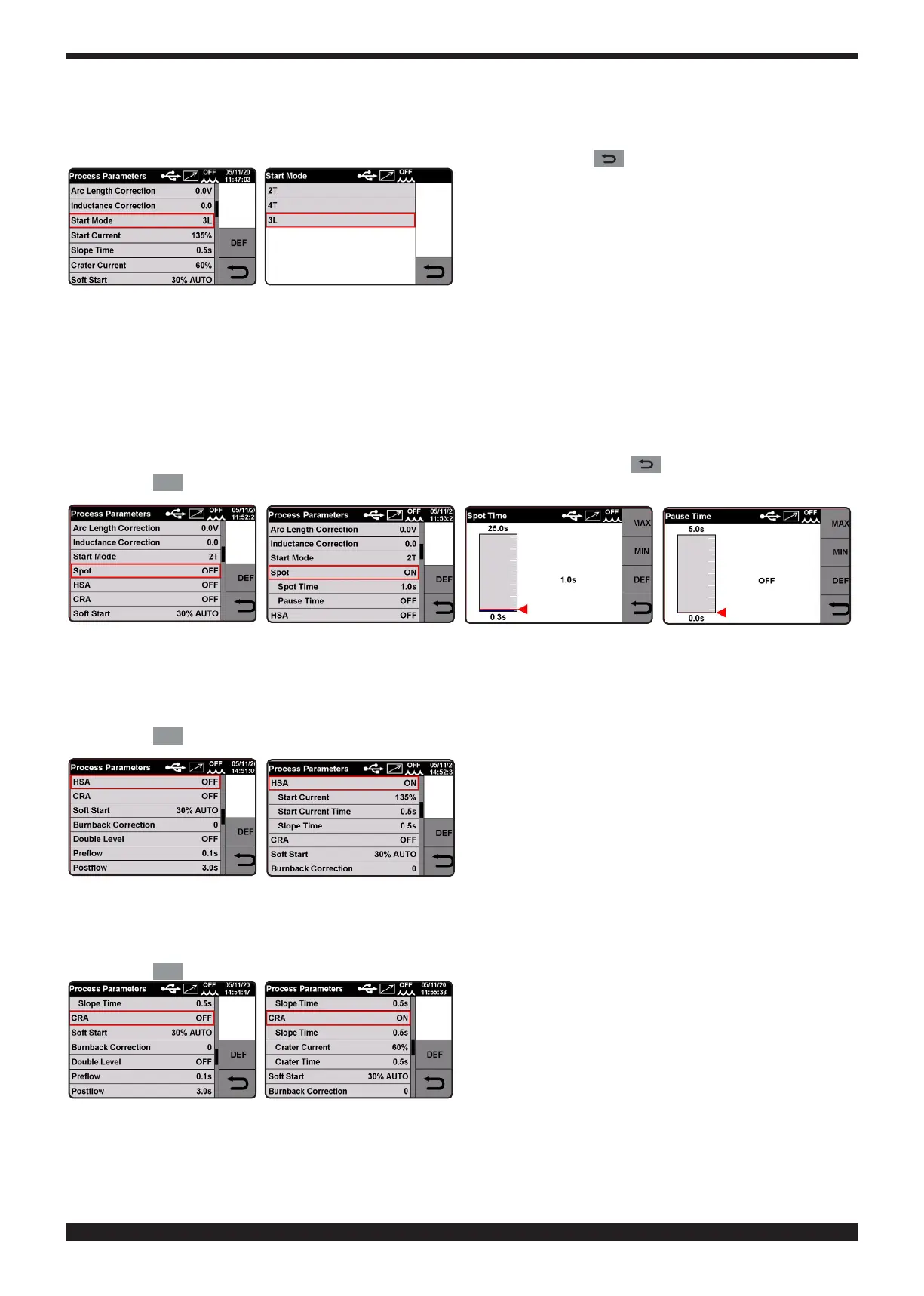
The selection is between Mode 2T, Mode 4T and Mode 3L�
Turn knob 2 to select the parameter and conrm the selection by pressing the knob.
To select mode, turn knob 2. To conrm the selection, press knob 2 or key .
Spot.
The operator can choose between Spot time and intermittent function�
This function is blocked when function 3L is activated.
If you select spot time when ON, the screen displays the function spot time� While selecting it you can adjust it by
means of the adjustment bar.
In addition to spot time, the display shows the pause time. When this is selected, use the adjustment bar to regu-
late the pause time between one welding spot or section and another.
Turn knob 2 to select the parameter and conrm the selection by pressing the same knob.
Adjust the value by turning knob 2. To conrm the selection press knob 2 or key .
Press the
DEF
key to restore factory settings.
• HSA (Automatic Hot Start)�
Turn knob 2 to select the parameter and conrm the selection by pressing the knob.
If you select HSA when ON the screen displays the start current, current time and connection time. To adjust
these parameters see chapter on Start Mode.
Press the
DEF
key to restore factory settings.
• CRA, (nal crater lling).
Turn knob 2 to select the parameter and conrm the selection by pressing the knob.
If you select CRA when ON the screen displays the connection time, crater lling current and crater lling time.
To adjust these parameters see chapter on Start Mode.
Press the
DEF
key to restore factory settings.







 To Next Page