43Method - Create, Edit and Delete
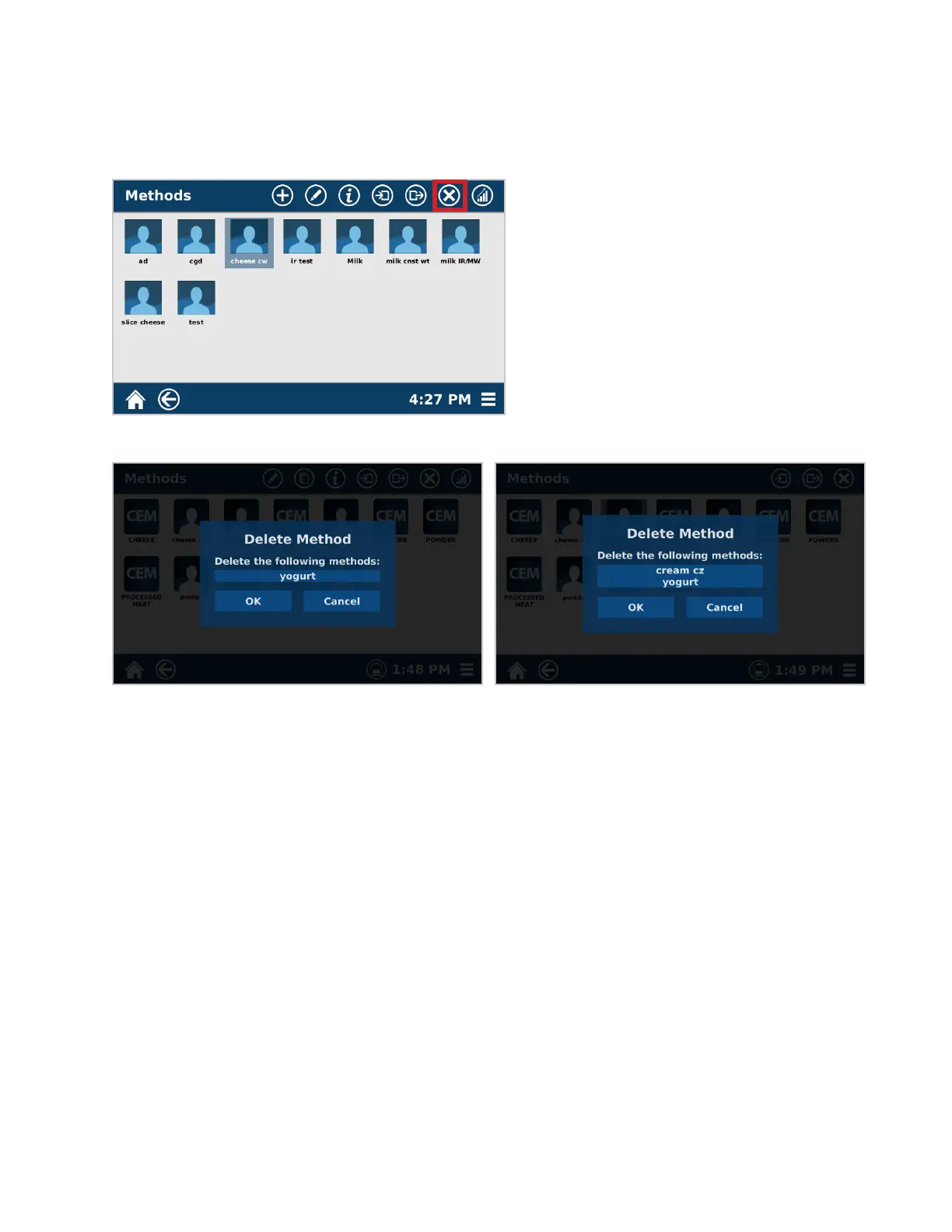
Delete Method
Only Administrators can delete methods.
1. From the methods screen, long hold the method to be deleted until the additional menu icons appear. At this
time, multiple methods can be selected.
2. Select the delete Icon.
3. Select “OK” to delete the methods.



 To Next Page