9Software Overview
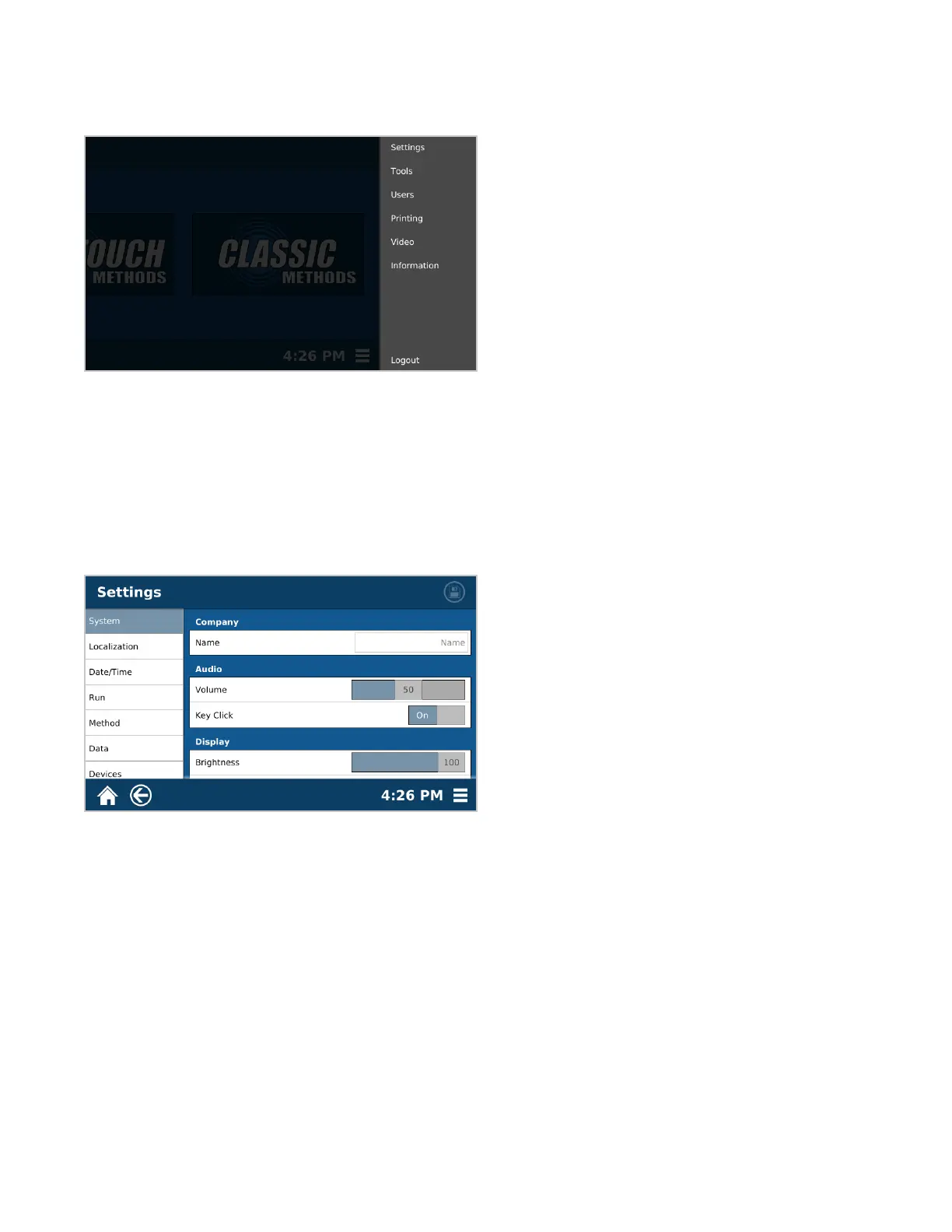
System Menu
The following is a basic review of each section of the System Menu to be used as a quick guide for locating
software items and instrument functions.
• Settings –Adjustable system settings unrelated to sample analysis
• Tools – Calibration and Diagnostic tools used to ensure proper system functionality
• Users – Location for creating and deleting different user accounts, as well as reviewing user logs if necessary
• Printing – Printing options and setup
• Video – Videos for ensuring proper system handling and usage
• Information – System information including serial number, software version, and contact information, etc.
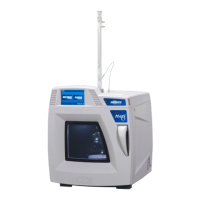
Settings
• System – Instrument settings for the audio and visual selections of the individual user
• Localization – Regional adjustments including language and the preferred date and time format
• Date/Time – Location for setting the correct date and time
• Run – Adjustment of settings specic to each sample analysis, including sample ID format, test complete
indicators, and ame detect temperature, etc.
• Method – User editing of the time intervals (1, 15 or 30 minutes) for method parameters such as ramp time, set
time, etc.
• Data – Information that will be output to the desired database of the customer
• Devices – Location for connecting external devices. Eg – external printer, external balance, or bar code reader



 To Next Page