46 Users
Edit/Delete User
Only Administrators have the privilege to edit/delete. A Basic (non-Administrator) user can only edit their password.
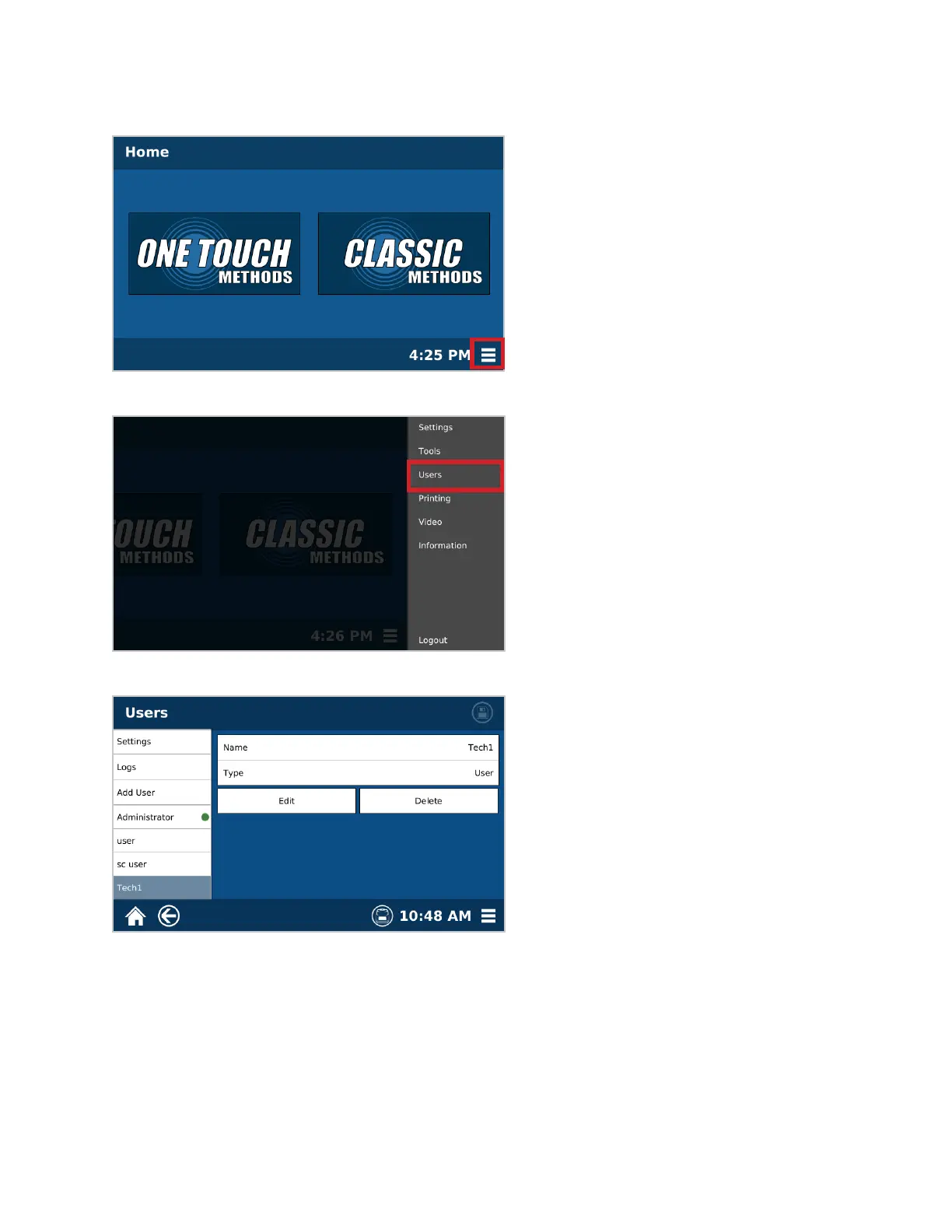
1. From the Home screen, select the System Menu icon in the bottom right corner of the screen.
2. Select Users.
3. Select the user to edit/delete.
4. Select “Edit” or “Delete”
• If Edit is selected, make the appropriate changes and select “Save”.
• If Delete is selected, conrm that the user wishes to delete the selected user.



 To Next Page