50 Method Import and Export
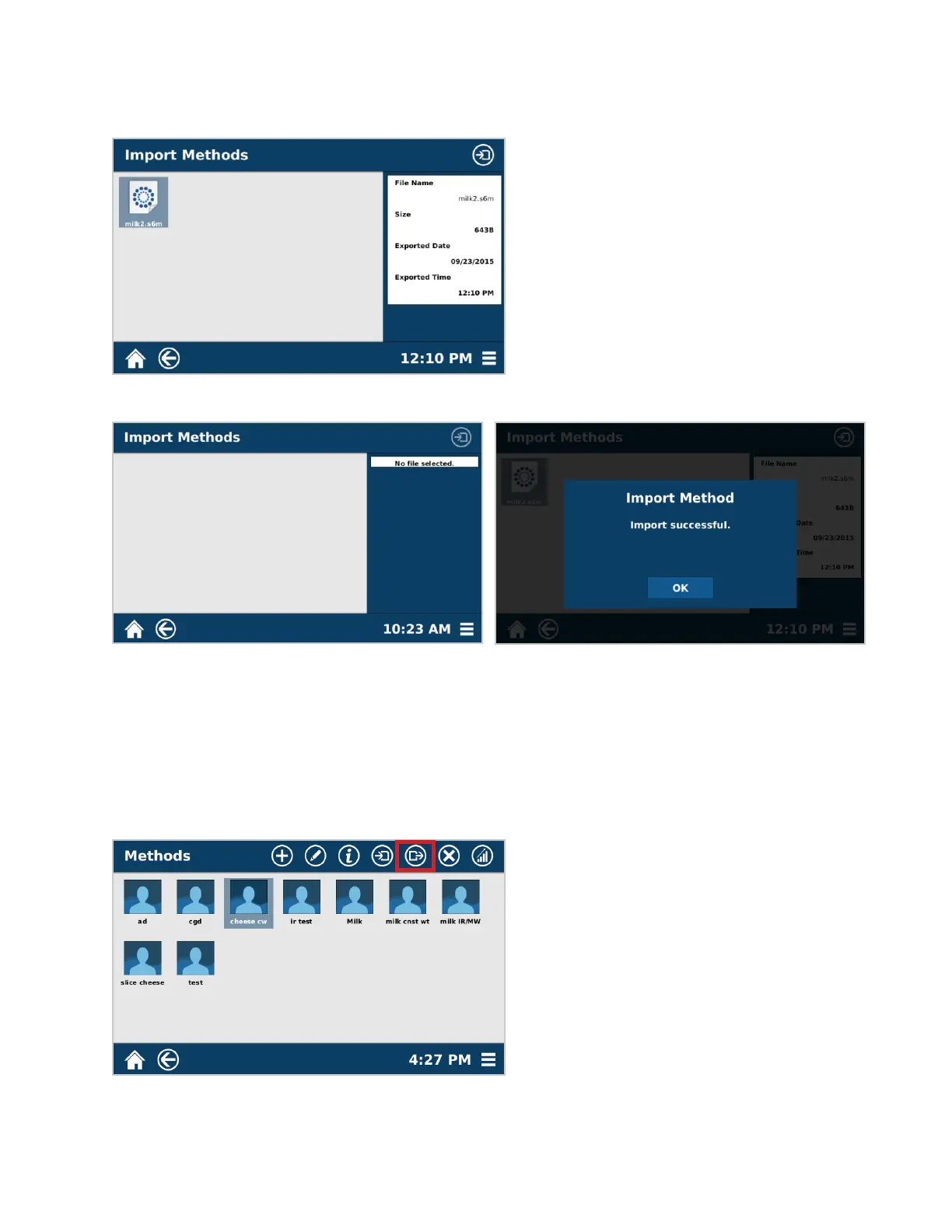
6. The methods to be imported should be listed on the left side of the screen. Once the correct method is cho-
sen, press the Import icon located in the top right corner of the screen. If the USB is fully plugged in and no
methods are shown, the method is not in the correct le conguration. Refer to step 2 to ensure proper le
conguration.
7. Once the method has been imported, a window will indicate that the importing process was successful.
Export
1. From the Home Screen, select the One Touch or Classic Methods containing the method to be exported.
2. Using the USB port on the side of the instrument, install a USB stick.
3. Long hold the method to be exported until the additional menu icons appear. At this time, multiple methods
can be selected to mass-export.
4. Select the Export Icon.
5. The system prompts the user to identify the location for the method to be exported. Choose the USB that has



 To Next Page