12 System Installation
System Installation
Unpacking
1. Select a location that meets requirements as outlined in the Site Preparation Guide (P/N FM0048) or the “Sys-
tem Specications” section of this manual.
2. While unpacking, inspect the box, accessory kit and instrument for damage that may have occurred during
shipping. If you notice damage, DO NOT attempt instrument set up. Contact your CEM representative for help.
WARNING
If any damage to the instrument is noted, do not attempt instrument operation.
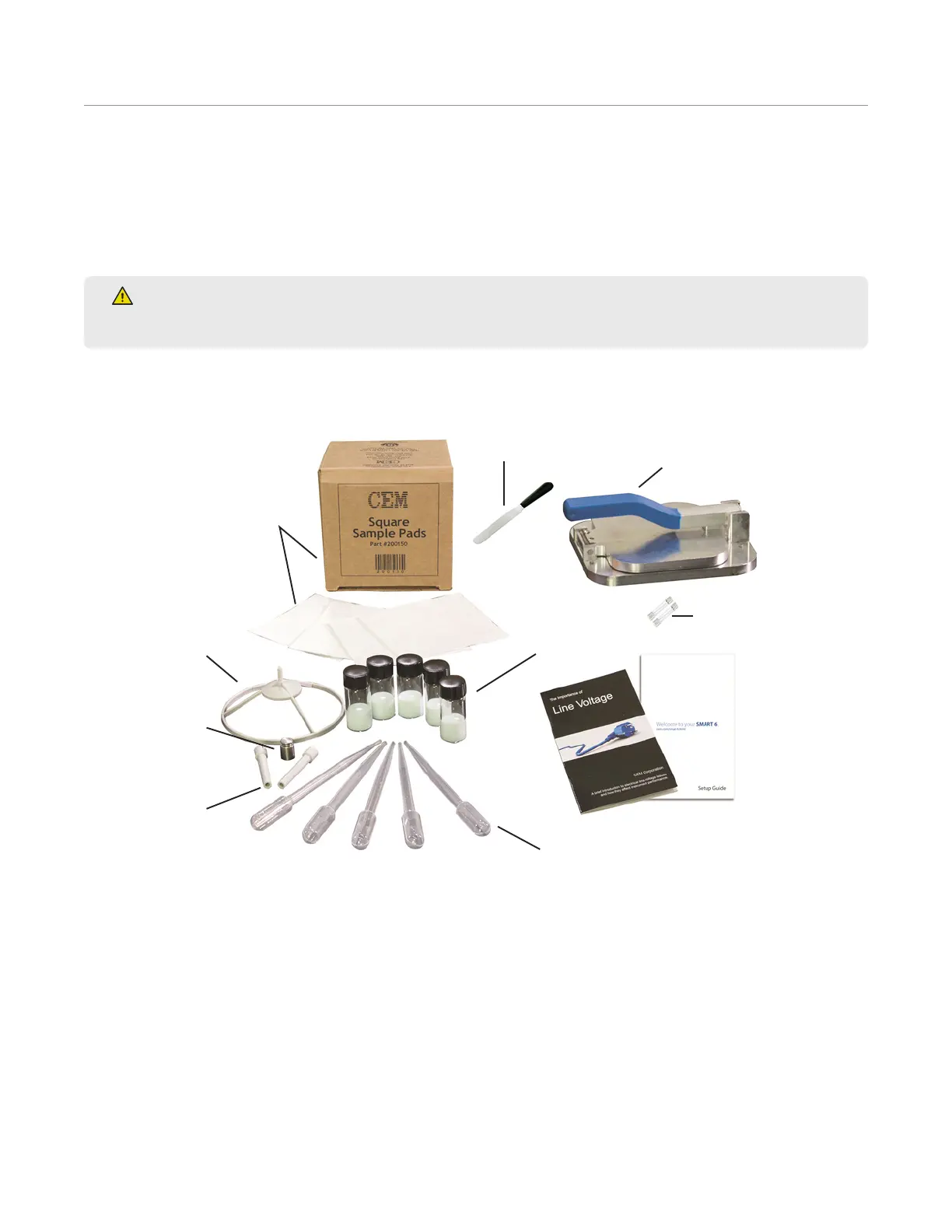
3. Remove and verify that all accessories illustrated and listed are included.
Glass Fiber
Sample Pads
(200 ct box)
Balance
Pan (2)
10 g
Weight
Balance
Stem (2)
Pipette (5)
Monitor
Solution
(6 vials)
Spatula
Sample Press
Fuses (2)
Documentation
•Operation Manual
•Monitor Testing
Guide
•“Importance
of Line Voltage”
booklet



 To Next Page