11Software Overview
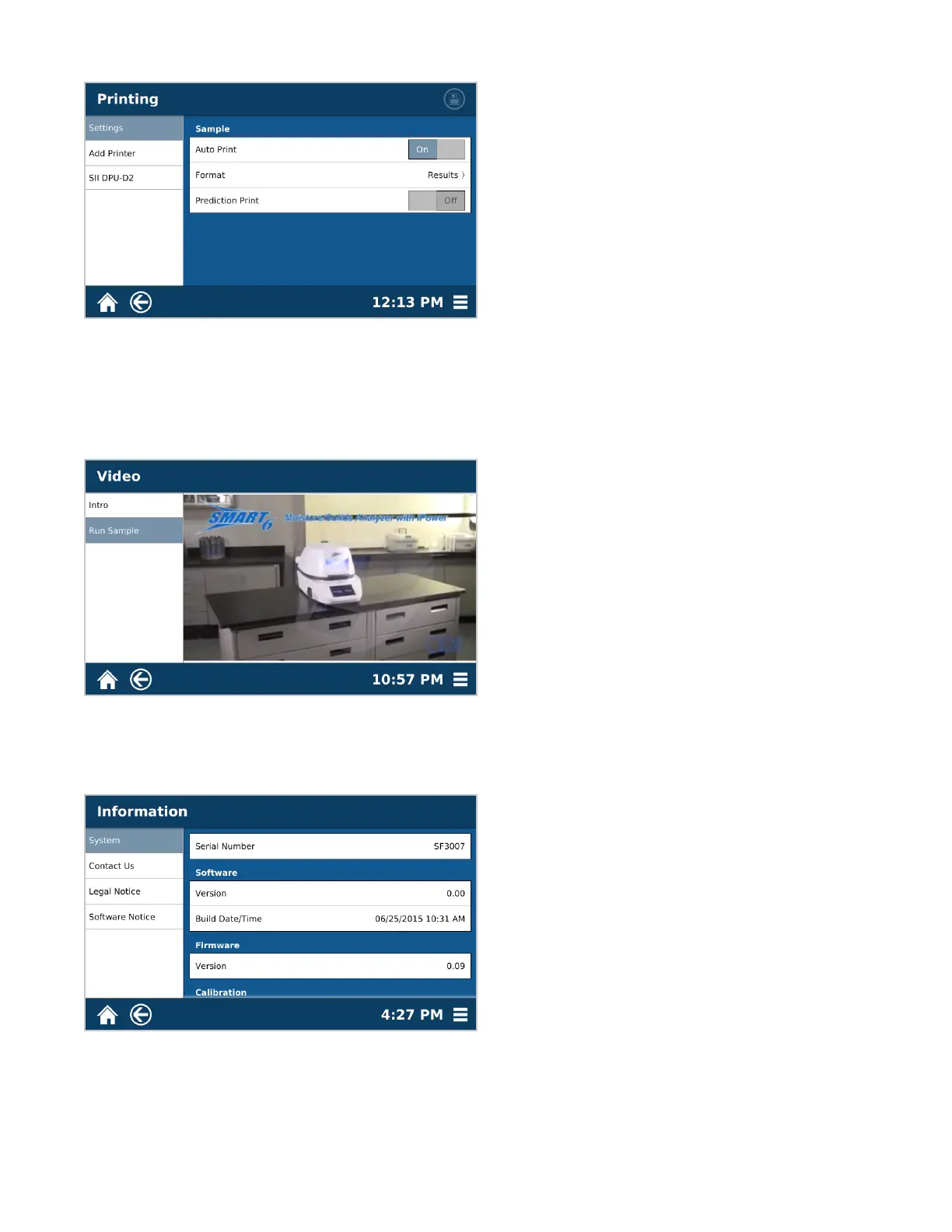
Printing
• Settings – Location for turning auto-print ON/OFF, as well as choosing the format data will print in
• Add Printer – For users that require an external printer for results
• Connected Printer – Settings for the printer currently connected to the instrument
Video
• Each video can be played in full screen mode, and volume can be adjusted.
Information
• System – Reference for Serial Number, Software and Firmware versions, and Calibration dates
• Contact Us – Contact for CEM Headquarters and Subsidiaries
• Legal Notice – Legal information concerning the use and distribution of the SMART 6 and other CEM products
• Software Notice – System notication pertaining to the software currently loaded on the system



 To Next Page