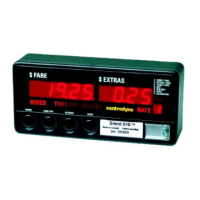
Group 7 Clock/Calendar
To edit the time and date (Clock option):
1. Slide SW5 to the left.
2. Press SW1 until a “7” shows in the Rate window on the right.
3. Press SW2 to select item 1, 2 or 3.
4. Press SW4 and the last digit in the Fare window will flash.
5. Press SW3 to change the flashing digit to the correct value.
9) Press SW2 to move one character position to the left.
6. Continue using the same button sequence (SW3, SW2) until the correct value is displayed.
7. Press SW4 to record the value into memory.
Clock Calendar Items Description Format Range
1. Hours/Minutes Current time in hours and minutes
HH/MM 00:00 – 23:50
2. Current Date
Month/Day
Or
Day/Month
MM/DD
or
DD/MM
01-01 – 12-31
or
01-01 – 31-12
3. Year/Day of Week
Current Year (last 2 digits of year)
and
Day of week, (1 – 7 {Sun = 1})
YY/DD 00-01 – 99-07
6



 To Next Page