SILENT 620 PRINTING METER PAPER ROLL INSTALLATION
To replace the paper roll in the “Silent 620” High Speed Printing Meter,
1. First open the hinged paper door on top of the taximeter and remove the old paper core (and any
unused paper).
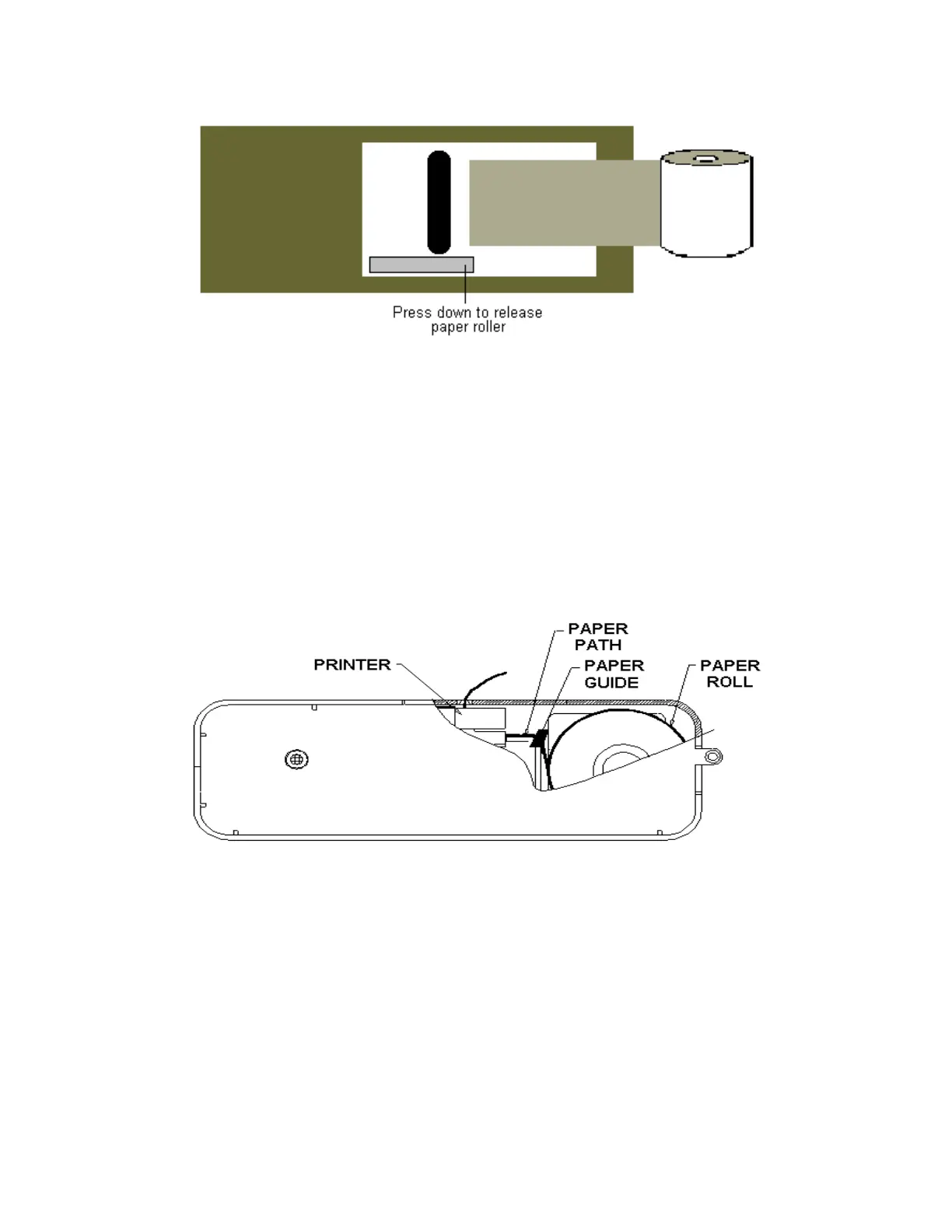
2. As illustrated above, ensuring the paper has a straight edge and the shiny/glossy side is facing
down, extend an inch or two of paper into the case towards the print mechanism.
3. Gently feed the paper under the black roller. The printer will automatically detect the paper and
feed it through the print mechanism.
4. The paper may also be fed manually through the printer. Press down on the roller release bar and
gently push the paper under the black roller and through the print mechanism (the auto paper feed
will also activate). When the paper is fed out the top of the printer, close the roller release bar.
5. Feed the paper through the slot in the hinged door, and close and latch the door.
SILENT 150 REMOTE PRINTER PAPER ROLL AND RIBBON INSTALLATION
To replace the paper roll in the “Silent 150” Remote Printer,
1) First open the hinged paper door on top of the printer and remove the old paper core
(and any unused paper).
2) As illustrated above, feed the paper under and through the paper guide.
The printer will automatically detect the paper and feed it through the print mechanism.
3) The paper feed button located on top of the printer may also be used to assist in loading paper.
4) Close the hinged door allowing the paper to extend out the top.
To replace the ribbon,
1) First remove the paper roll.
2) Where indicated on the ribbon, press down to eject and remove the ribbon.
3) Insert the replacement ribbon into the printer in the same direction as the one removed, ensuring the
exposed portion of the ribbon is behind the silver metal edge of the printer, and gently press down
on both sides of the ribbon.
15



 To Next Page