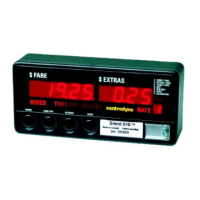
Wireless Credit Card Programming
Following are instructions for programming the taximeter for wireless credit card approval. The taximeter is
capable of processing credit card sales, returns and pre-authorizations. However, not all these features are
available depending on your jurisdiction, governing authority and credit card processor. Please contact us for
more specifics.
Credit Card Receipt Programming
Credit card companies require a unique receipt format and specific information to be printed on the receipts
for valid transactions. To accomplish this, and to take into account portrait and landscape printing, the
programmable text lines must be programmed with the following information:
Line 1: Cab Company Name
Line 2: blank
Line 3: City, State
Line 4: MID:9999999999 (Merchant ID Number)
Line 5: Cab # 99999
Line 6: Optional
Line 7: Optional
Line 8: Optional
Follow the instructions on page 3 of this document to program the printer text as described above.
Pre-Authorization Dollar Amount Programming
Where approved for use, the taximeter may be programmed with one fixed dollar amount for pre-
authorization of the credit card. The pre-authorization takes place prior to the start of the trip, i.e., before
the taximeter is Hired.
To program the meter with the pre-authorization amount, perform the following steps;
Step 1. Slide SW5 to the left to enter programming mode. A “0” is illuminated in the Rate display.
If not, see page 7, Group 9 Password Entry/Edit.
Step 2. Press SW2 until a “5” is displayed in the Extras window and “000.00” in the Fare window.
Step 3. Follow same button sequence used throughout the manual to set the pre-authorization dollar
amount (for example $75 would be “075.00”).
The following pages are operating instructions for (1) credit card sales only, (2) credit card sales, returns
and pre-authorizations.
18



 To Next Page