- 9 -
DIGITAL INPUTS
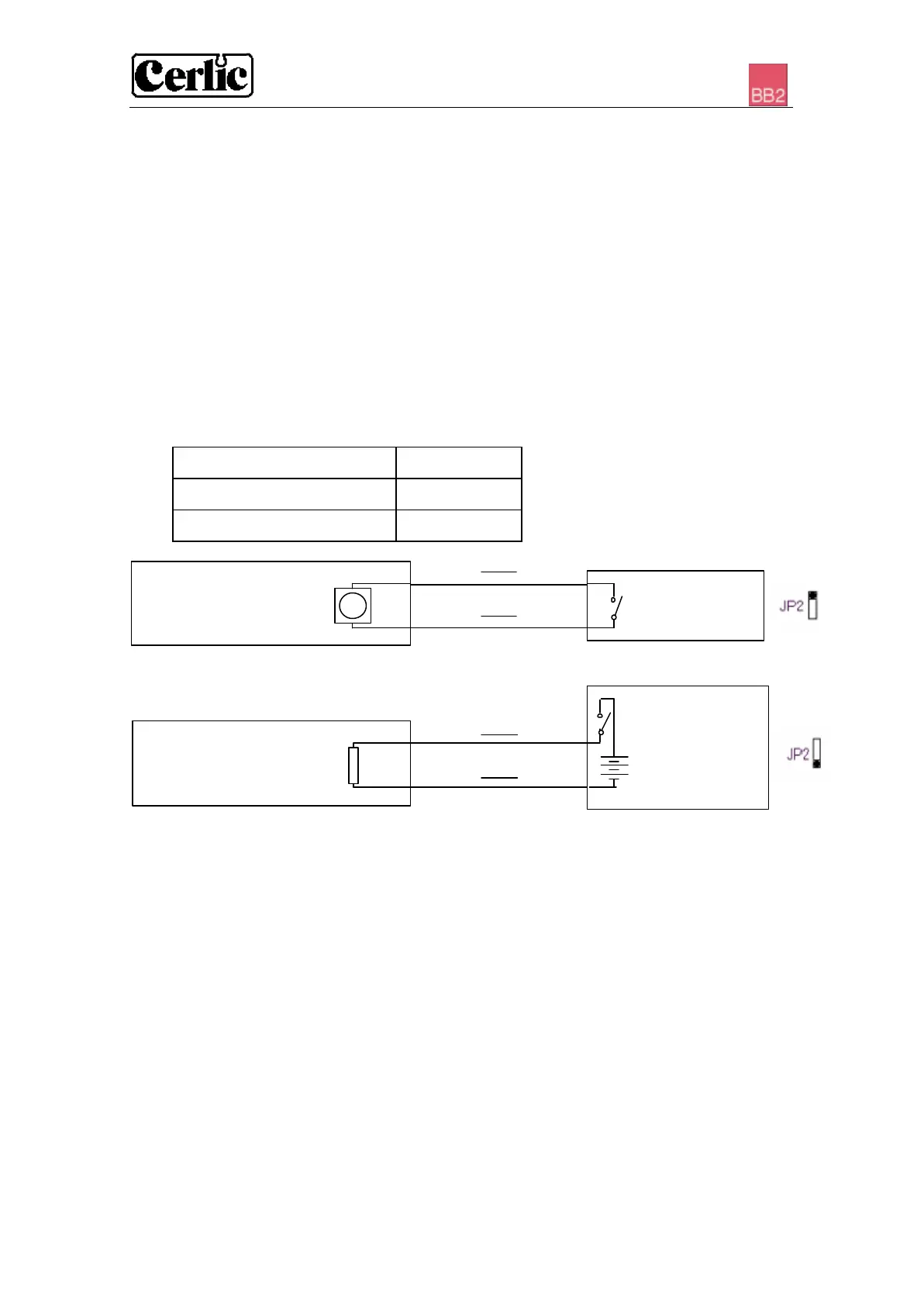
The three digital inputs are default using BB2’s internal 24 VDC, but can be jumpered
to use an external 24 VDC source, galvanic isolated from the rest of the system (e.g.
from a DCS or control system). These inputs can be used to control the selection of
calibration curve for sensors having more than one. The sensor then has to be set up to
use “External” calibration curve, please refer to the sensor manual for more information
on how to select calibration curve.
No active input will result in calibration curve “A”, if input 1 is activated calibration
curve “B” will be used, if input 2 is activated calibration curve “C” will be used, and
finally if input 3 is activated calibration curve “D” will be used. The higher the number
of the input the more dominant it is, in other words if input 3 is active calibration curve
“D” will be used regardless of the state of the other inputs.
Digital inputs JP2
Active, internal 24 VDC 1-2
Passive, external 24 VDC 2-3
PC-CABLE CONNECTOR
Connector X9 is a serial RS232 port that may be used to transfer values to a PC or
printer via the PC-cable (part no. 10805480). The functionality of the serial port is
configured in the settings menu of BB2
PROGRAM DOWNLOAD
Jumpers JP14 and JP25 are used when downloading new firmware to BB2. This may
only be done by authorized service personnel. Improper setting of jumpers JP14 and
JP25 may destroy the unit. Any change of these jumpers will void the warranty.
BB2 Active
Internal 24 VDC
5
External switch
3
4
BB2 Passive
External switch
External 24 VDC
3


 To Next Page