- 15 -
14. Menus for the BB2 control box
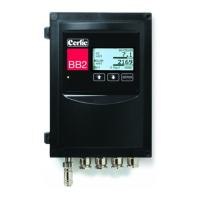
Press and ENTER simultaneously for five (5) seconds to enter the BB2 Menu.
Sensor menus are different for each type of sensor, and are entered by pressing ENTER
for five (5) seconds on selected sensor. Sensor menus are described in the various
sensor manuals.
Setup
Language English or Swedish
System Metric or US, selects mm or inch, m
3
or Gallon, °C or °F (the
latest can be overridden in the format menu below),
Date Show and change current date
Time Show and change current time
Contrast The contrast is compensated for temperature effects but may
have to be changed due to local lighting conditions or
Temperature
Formats Press “ENTER” to go to the “Formats” sub menu
Temp °F or °C
Date YY-MM-DD, MM/DD/YY, or DD-MM-YY
Time TT:MM:SS, or TT:MM
Fieldbus Press “ENTER” to go to the “Fieldbus” sub menu
DP address Node address in a Profibus network
Transmitter 1 – 4, Transmitter using the fieldbus
Fieldbus type Installed fieldbus module
Out sig 1 4-20 mA, or 20–4 mA
Out sig 2 4-20 mA, or 20–4 mA
Serial log Off, Slot 1 – Slot 4 or All. Selects a sensor to be logged using
the serial RS232 interface. The protocol is clear text. This
function is implemented for Cerlic’s tests, and may change in
the future without notice
Interval min 0 –999 minutes interval between the logging a value on the
serial channel.


 To Next Page