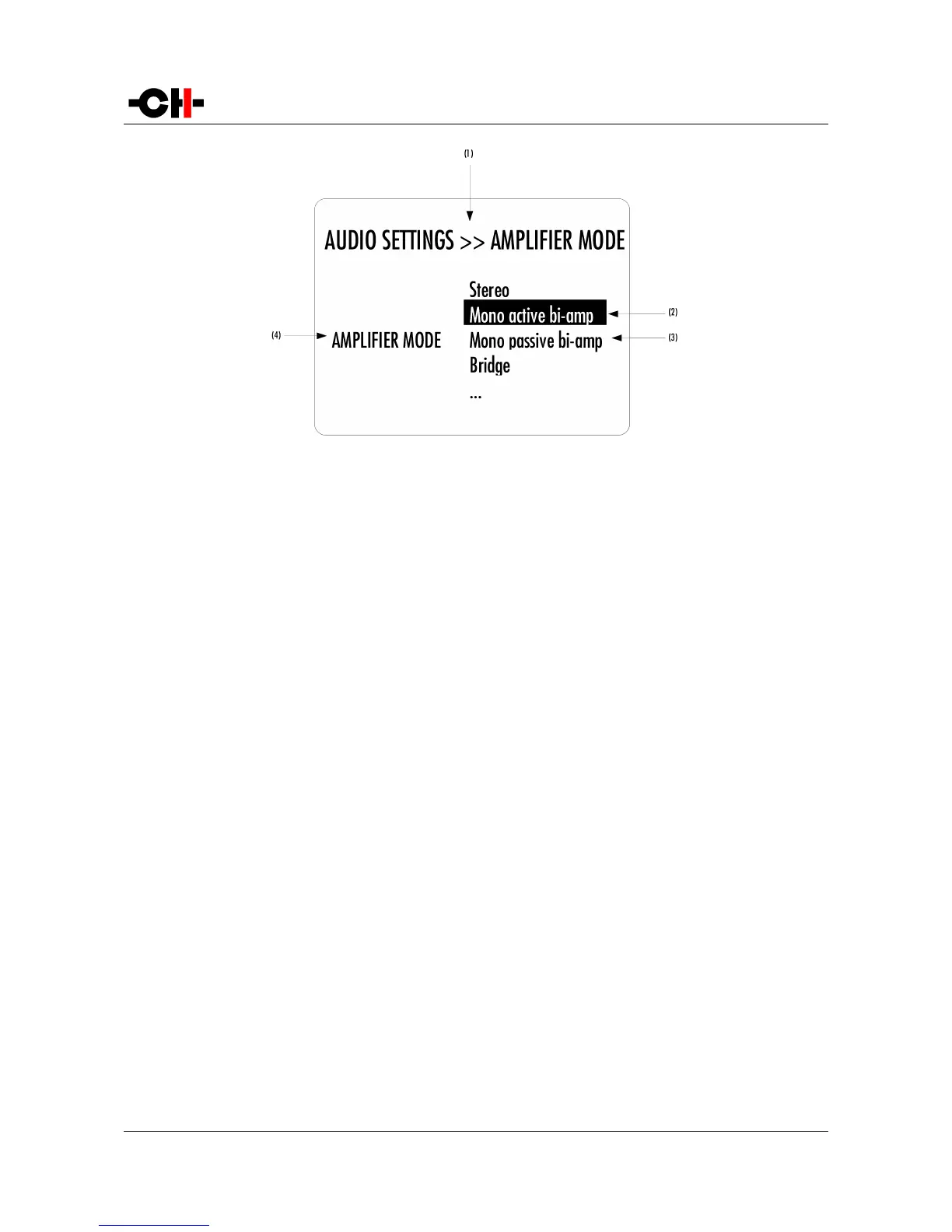
AUDIO SETTINGS >> AMPLIFIER MODE menu display elements
(1) Menu title. AUDIO SETTINGS >> AMPLIFIER MODE shows that the parent menu is AUDIO SETTINGS. To access the parent menu, push the CANCEL
[Q] button
(2) The current Parameter Value is highlighted. Push the UP [N] or DOWN [O] buttons to navigate through Parameter Values
(3) Other possible Parameter Value(s). Number of other possible Parameter Value(s) depends on Parameter
(4) Parameter for which the Parameter Value can be modified in the current menu screen.
The following section gives detailed information about the menu structure and the various Parameters. Note that certain
Parameters may or may not appear in the menu depending on installed options. For instance if only a single ANALOG_IN board is
installed or an amplifier mode requiring two input boards is selected, CHANNEL selection menu items (to select the left or right
input board) will be hidden.
30 A1 User Manual Rev 2.0



 To Next Page