(3) Arrow indicating UP button [N]
(4) Next parameter value. If UP button [N] is pushed, the unit enters into Menu mode
4.2.3 Menu mode
The Menu mode allows for Configuration and Setup of the A1 power amplifier through a set of menus. Menu mode is entered from
the last Shortcut item (see above). From Normal mode, enter the Shortcut mode by pushing the OK [R] button. By successive OK
[R] button pushes, step to the last Shortcut item (DETAILED SETUP) and push the TOP [N] button once to enter the Menu mode.
Navigation in Menu mode is based on UP [N] and DOWN [O] buttons to select an item or to change a value. The OK [R] button
is used for validation and CANCEL [Q] to exit without saving.
Front face push buttons Unit Action
STANDBY [S] Short Push Mute/Unmute the unit
STANDBY [S] Long Push Put the unit into Standby
UP [N] Move to next menu item upward
OK [R] Enter next menu level or Validate choice (save setting)
DOWN [O] Move to next menu item downward
CANCEL [Q] Return to previous menu level without saving
Push-button actions in Menu mode
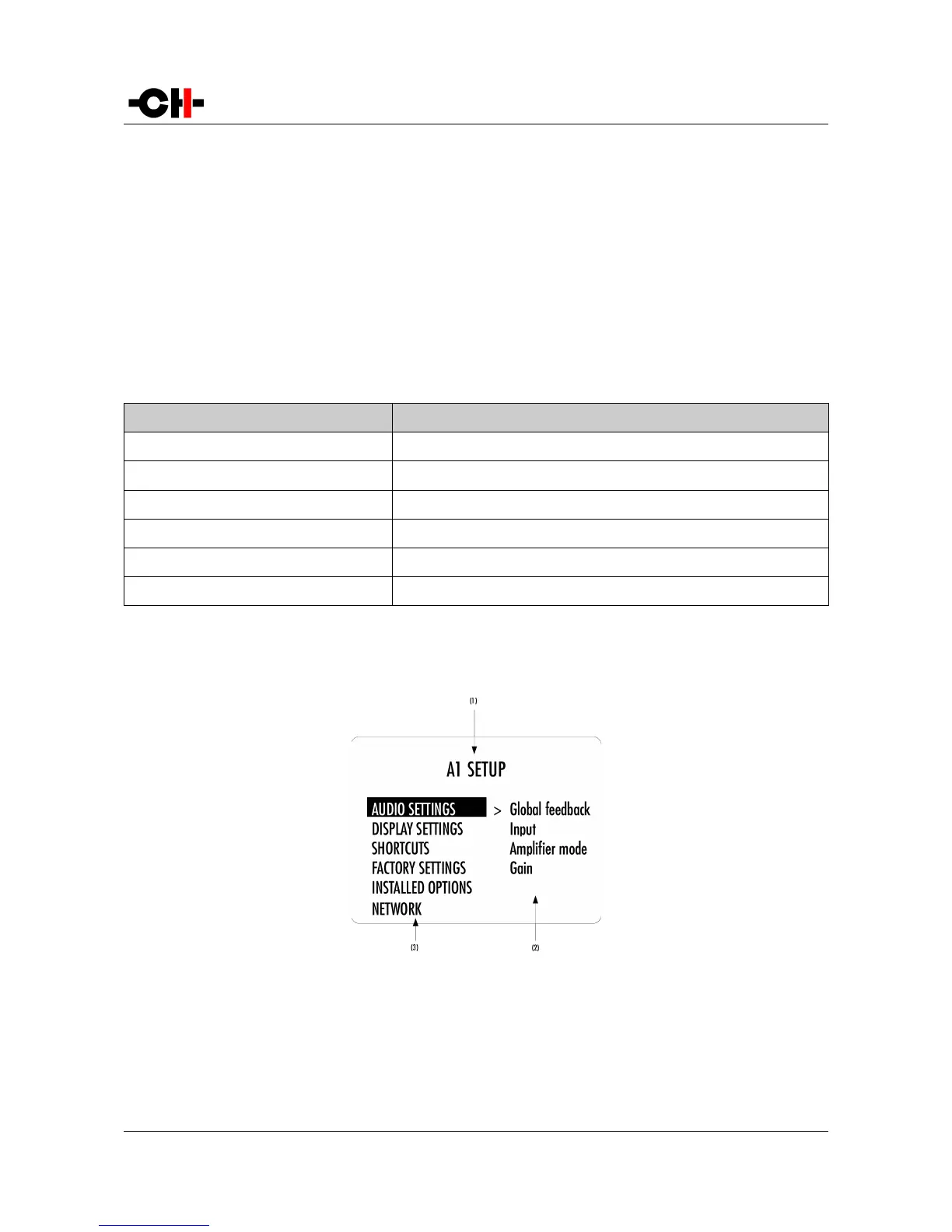
Following illustration shows the elements of a the A1 SETUP Menu page, the entry point to the A1 menu structure.
A1 SETUP menu display elements
(1) Menu title. When entering a menu item, the title also shows the parent menu. If the AUDIO SETTINGS menu is entered, the title line would display
A1 SETUP >> AUDIO SETTINGS.
(2) Shows the accessible parameters when entering the currently highlighted menu item. In this example, AUDIO SETTINGS is highlighted and the
second column shows the parameters accessible in the AUDIO SETTINGS menu.
28 A1 User Manual Rev 2.0



 To Next Page