27
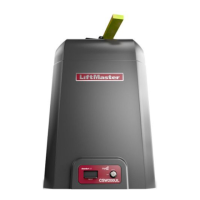
Setting RESIDENTIAL
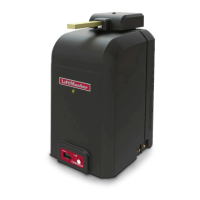
COMMERCIAL/GENERAL
ACCESS
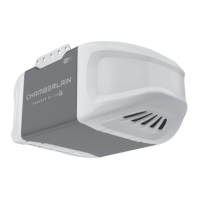
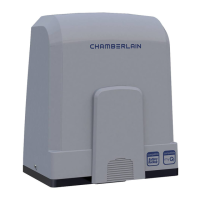
COMMERCIAL INDUSTRIAL
Quick Close
switch setting
Normally set to OFF. Normal gate
close (timer or control).
Normally set to OFF. Normal gate
close (timer or control).
Normally set to OFF. Normal gate
close (timer or control).
Set to ON, so that gate closes
immediately after vehicle passes
CLOSE EYES/Interrupt loop.
AC Fail Open
switch setting
Normally set to BATT. Run on
battery if AC power fails.
Normally set to BATT. For local
jurisdiction requirement, set to
OPEN so that the gate will open
approximately 15 seconds after AC
power fail.
Normally set to BATT. Run on
battery if AC power fails.
Normally set to BATT. Run on
battery if AC power fails.
Low Battery
switch setting
Normally set to OPEN. If powered
from battery and battery is low,
gate automatically opens and
stays open.
Normally set to OPEN. If powered
from battery and battery is low,
gate automatically opens and stays
open.
Normally set to CLOSE. If powered
from battery and battery is low,
gate stays closed.
Normally set to CLOSE. If
powered from battery and battery
is low, gate stays closed.
Anti-Tail switch
setting
Normally set to OFF. CLOSE
EYES/Interrupt loop reverses a
closing gate.
Normally set to OFF. CLOSE EYES/
Interrupt loop reverses a closing
gate.
Set to ON. In attempt to prevent
vehicle tail-gating, CLOSE EYES/
Interrupt loop pauses a closing
gate.
Set to ON. In attempt to prevent
vehicle tail-gating, CLOSE EYES/
Interrupt loop pauses a closing
gate.
Bipart Delay
switch setting
For DUAL-GATE site, set to ON
for gate that delays upon opening.
For DUAL-GATE site, set to ON for
gate that delays upon opening.
For DUAL-GATE site, set to ON for
gate that delays upon opening.
For DUAL-GATE site, set to ON
for gate that delays upon
opening.
Aux Relay Out –
Open Limit
Switch
Typically not required. Use with SAMS (Sequence Access
Management System).
1) Use with SAMS (Sequence
Access Management System).
2) Connect “Gate Open” indicator
(e.g. light).
1) Use with SAMS (Sequence
Access Management System).
2) Connect “Gate Open” indicator
(e.g. light).
Aux Relay Out –
Close Limit
Switch
Typically not required. Typically not required. Connect “Gate Close/Secure”
indicator (e.g. light).
Connect “Gate Close/Secure”
indicator (e.g. light).
Aux Relay Out –
Gate Motion
Attach alert signal (audible or
visual alert system).
Attach alert signal (audible or
visual alert system).
Attach alert signal (audible or
visual alert system).
Attach alert signal (audible or
visual alert system).
Aux Relay Out –
Pre-Motion Delay
Attach alert signal (audible or
visual alert system).
Attach alert signal (audible or
visual alert system).
Attach alert signal (audible or
visual alert system).
Attach alert signal (audible or
visual alert system).
Aux Relay Out –
Power
Attach visual alert to know when
system is charging batteries (i.e.
not running on batteries).
Attach visual alert to know when
system is charging batteries (i.e.
not running on batteries).
Attach visual alert to know when
system is charging batteries (i.e.
not running on batteries).
Attach visual alert to know when
system is charging batteries (i.e.
not running on batteries).
Aux Relay Out –
Tamper
(Slide Gates
Only)
Attach alert signal (audible or
visual alert system) to indicate if
gate is manually tampered with
by being pushed off of close limit.
Attach alert signal (audible or
visual alert system) to indicate if
gate is manually tampered with by
being pushed off of close limit.
Attach alert signal (audible or
visual alert system) to indicate if
gate is manually tampered with by
being pushed off of close limit.
Attach alert signal (audible or
visual alert system) to indicate if
gate is manually tampered with
by being pushed off of close limit.
Cycle Quantity
Feedback
Use during servicing only to
determine operator cycles.
Use during servicing only to
determine operator cycles.
Use during servicing only to
determine operator cycles.
Use during servicing only to
determine operator cycles.
Fire Dept Open
input
Typically not required. Connect emergency access system
(Knox box switch, SOS system,
etc.).
Typically not required. Typically not required.
Heater Accessory
(Model HTR)
The heater keeps the gearbox and
batteries at a suitable temperature
when the outside temperature is
below -4°F. The thermostat MUST
be set between 45°F and 60°F to
ensure proper gate operation.
The heater keeps the gearbox and
batteries at a suitable temperature
when the outside temperature is
below -4°F. The thermostat MUST
be set between 45°F and 60°F to
ensure proper gate operation.
The heater keeps the gearbox and
batteries at a suitable temperature
when the outside temperature is
below -4°F. The thermostat MUST
be set between 45°F and 60°F to
ensure proper gate operation.
The heater keeps the gearbox and
batteries at a suitable temperature
when the outside temperature is
below -4°F. The thermostat MUST
be set between 45°F and 60°F to
ensure proper gate operation.
OPERATION
GATE OPERATOR SETUP EXAMPLES
The following are example setups for the gate operator. Your specific site requirements may be different. Always setup the operator system to the site
requirements, including all necessary entrapment protection devices.
RESIDENTIAL: One to four residential homes sharing a gated entrance/exit, allowing vehicle access trumps security concerns
COMMERCIAL/GENERAL ACCESS: A residential community (more than four homes) having one or more gated entrances/exits, allowing
vehicle access trumps security concerns
COMMERCIAL: Business site where security (gate closed) is important
INDUSTRIAL: Large business site where security is required






 To Next Page