EasyManua.ls Logo

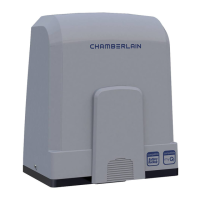
Chamberlain CHSL400EVC - User Manual

Chamberlain CHSL400EVC
112 pages
Print Icon
To Next Page IconTo Next Page
Loading...
CHSL400EVC
* For GB (UK, NI) specic information on national regulations and requirements
see English part of the manual.
en Sliding Gate Operator Installation Manual*
fr Manuel d‘installation de l‘opérateur de portail coulissant
nl Installatiehandleiding schuifhekaandrijving
de Installationshandbuch für Schiebetorantriebe
cs Návod k instalaci pohonu posuvné brány
sk Návod na inštaláciu pohonu posuvnej brány

Table of Contents

Question and Answer IconNeed help?

Do you have a question about the Chamberlain CHSL400EVC and is the answer not in the manual?

Summary

Safety Instructions and Intended Use

About This Manual

Information regarding the manual's origin and purpose.

Installer Qualification

Requirements for competent installers for safe gate operation.

Warnings Symbols

Explanation of danger, warning, caution, and attention symbols used.

Intended Use

Specifies the gate operator's designed purpose and limitations.

Improper Use

Details prohibited uses and potential risks associated with them.

Safety Precautions and General Information

General Safety Precautions

Essential safety measures for operation, entrapment, and children.

Important Information

Key operational notes and responsibilities for the user.

Delivery Scope

Included Components

Lists all items included in the gate operator package.

Tools Needed for Installation

Gate Operator Overview

Component Identification

Visual guide to identify the main parts of the gate operator system.

Mechanical Installation

Gate and Operator Dimensions

Provides key measurements for the gate and operator setup.

Installing the Base Plate

Step-by-step guide for correctly installing the base plate.

Emergency Release Mechanism

Instructions on how to manually release the gate operator.

Mechanical Installation Procedures

Installing Motor on Base Plate

Steps for mounting the motor unit onto the prepared base plate.

Gate Rack Mounting

Guide for attaching the gate rack to the gate leaf.

Power Wiring

Instructions for safe and correct mains power connection by a specialist.

Mechanical Installation Setup

Limit Switch Setup

Procedure for setting the gate's open and close limit positions.

Accessing Control Board

How to access the control board for wiring and programming.

Wiring Diagram

Power and Battery Connections

Illustrates connections for main power supply and battery backup.

Motor and Accessory Wiring

Details wiring for the motor and various accessories like photocells.

Programming Guide

Display and Button Functions

Explains the LED display and the function of programming buttons.

General Programming Overview

Introduces the two main programming sections: Basic and Advanced.

Programming Guide - Basic Settings

Wing Movement Direction

Sets the direction of the motor's movement for opening and closing.

Application Settings

Configures the operator for the specific gate type (e.g., CHSL400).

Direction Motor Settings

Defines the installation side of the motor.

Limit Learning

Automatic learning of gate travel length and force settings.

Standard Learning Mode

Details the automatic process for learning limit positions and forces.

Programming Guide - Advanced Settings

Advanced Learning Mode

Manual setting for soft stop positions during gate movement.

Stand-by Mode

Explains the gate status displayed during stand-by mode.

Programming Guide - Device Management

Remote and myQ Device Programming

Instructions for learning remote controls and setting up myQ devices.

Erasing Devices

Procedures for erasing programmed remote controls and myQ devices.

Programming Guide - Advanced Settings Part 2

Advanced Settings Overview

Lists available advanced settings and their corresponding LED codes.

Transmitter Settings

Configures how transmitter commands affect gate operation.

Infrared Photocells Settings

Defines the operational modes for infrared safety photocells.

Input Settings

Configures external accessory inputs for gate control.

Programming Guide - Advanced Settings Part 3

Partial Opening Settings

Allows setting a specific partial opening position for the gate.

Timer To Close (TTC)

Configures automatic gate closing after a set time.

Reversal Time After Impact

Sets behavior for reversal after encountering an obstacle.

E-Lock;Mag-Lock Settings

Manages electric or magnetic lock functions for the gate.

Flashing Light Settings

Configures the operation of the flashing warning light.

Pre-Flashing Settings

Sets the timing for pre-flashing of the warning light before movement.

Special Contact Settings

Configures relay activation times for external devices like courtesy lights.

Programming Guide - Final Settings

Start Speed Settings

Enables or disables soft-start acceleration for gate movement.

Maintenance Counter

Sets intervals for required system maintenance based on cycles.

Factory Default Reset

Resets the control board to its original factory settings.

Finishing and Exiting Programming

Procedures for saving changes and exiting the programming mode.

Battery Backup

Battery Backup Mode Operation

Describes how the system operates during power loss using battery backup.

Error Codes and Troubleshooting

Error Code Descriptions

Lists error codes, their causes, and recommended solutions.

Technical Data

Maintenance

Remote Control Battery Replacement

Instructions for replacing batteries in the remote control.

Drive Mechanism Check

Guidance on performing regular checks of the drive mechanism.

Limit Switch and Force Adjustment

Recommends checking and adjusting limit switch and force settings.

Disassembly Procedure

Brief note on disassembly following installation steps in reverse.

Disposal Instructions

Warranty Information

Declaration of Conformity

Summary

Safety Instructions and Intended Use

About This Manual

Information regarding the manual's origin and purpose.

Installer Qualification

Requirements for competent installers for safe gate operation.

Warnings Symbols

Explanation of danger, warning, caution, and attention symbols used.

Intended Use

Specifies the gate operator's designed purpose and limitations.

Improper Use

Details prohibited uses and potential risks associated with them.

Safety Precautions and General Information

General Safety Precautions

Essential safety measures for operation, entrapment, and children.

Important Information

Key operational notes and responsibilities for the user.

Delivery Scope

Included Components

Lists all items included in the gate operator package.

Tools Needed for Installation

Gate Operator Overview

Component Identification

Visual guide to identify the main parts of the gate operator system.

Mechanical Installation

Gate and Operator Dimensions

Provides key measurements for the gate and operator setup.

Installing the Base Plate

Step-by-step guide for correctly installing the base plate.

Emergency Release Mechanism

Instructions on how to manually release the gate operator.

Mechanical Installation Procedures

Installing Motor on Base Plate

Steps for mounting the motor unit onto the prepared base plate.

Gate Rack Mounting

Guide for attaching the gate rack to the gate leaf.

Power Wiring

Instructions for safe and correct mains power connection by a specialist.

Mechanical Installation Setup

Limit Switch Setup

Procedure for setting the gate's open and close limit positions.

Accessing Control Board

How to access the control board for wiring and programming.

Wiring Diagram

Power and Battery Connections

Illustrates connections for main power supply and battery backup.

Motor and Accessory Wiring

Details wiring for the motor and various accessories like photocells.

Programming Guide

Display and Button Functions

Explains the LED display and the function of programming buttons.

General Programming Overview

Introduces the two main programming sections: Basic and Advanced.

Programming Guide - Basic Settings

Wing Movement Direction

Sets the direction of the motor's movement for opening and closing.

Application Settings

Configures the operator for the specific gate type (e.g., CHSL400).

Direction Motor Settings

Defines the installation side of the motor.

Limit Learning

Automatic learning of gate travel length and force settings.

Standard Learning Mode

Details the automatic process for learning limit positions and forces.

Programming Guide - Advanced Settings

Advanced Learning Mode

Manual setting for soft stop positions during gate movement.

Stand-by Mode

Explains the gate status displayed during stand-by mode.

Programming Guide - Device Management

Remote and myQ Device Programming

Instructions for learning remote controls and setting up myQ devices.

Erasing Devices

Procedures for erasing programmed remote controls and myQ devices.

Programming Guide - Advanced Settings Part 2

Advanced Settings Overview

Lists available advanced settings and their corresponding LED codes.

Transmitter Settings

Configures how transmitter commands affect gate operation.

Infrared Photocells Settings

Defines the operational modes for infrared safety photocells.

Input Settings

Configures external accessory inputs for gate control.

Programming Guide - Advanced Settings Part 3

Partial Opening Settings

Allows setting a specific partial opening position for the gate.

Timer To Close (TTC)

Configures automatic gate closing after a set time.

Reversal Time After Impact

Sets behavior for reversal after encountering an obstacle.

E-Lock;Mag-Lock Settings

Manages electric or magnetic lock functions for the gate.

Flashing Light Settings

Configures the operation of the flashing warning light.

Pre-Flashing Settings

Sets the timing for pre-flashing of the warning light before movement.

Special Contact Settings

Configures relay activation times for external devices like courtesy lights.

Programming Guide - Final Settings

Start Speed Settings

Enables or disables soft-start acceleration for gate movement.

Maintenance Counter

Sets intervals for required system maintenance based on cycles.

Factory Default Reset

Resets the control board to its original factory settings.

Finishing and Exiting Programming

Procedures for saving changes and exiting the programming mode.

Battery Backup

Battery Backup Mode Operation

Describes how the system operates during power loss using battery backup.

Error Codes and Troubleshooting

Error Code Descriptions

Lists error codes, their causes, and recommended solutions.

Technical Data

Maintenance

Remote Control Battery Replacement

Instructions for replacing batteries in the remote control.

Drive Mechanism Check

Guidance on performing regular checks of the drive mechanism.

Limit Switch and Force Adjustment

Recommends checking and adjusting limit switch and force settings.

Disassembly Procedure

Brief note on disassembly following installation steps in reverse.

Disposal Instructions

Warranty Information

Declaration of Conformity

Chamberlain CHSL400EVC Specifications

General IconGeneral
BrandChamberlain
ModelCHSL400EVC
CategoryGate Opener
LanguageEnglish

Related product manuals