32
MyQ
®
MyQ
®
ERROR CODES
Below are potential error codes that may be encountered when working with the Internet Gateway, MyQ
®
app, MyQ website, or your PC or smartphone.
GENERAL ERROR CODES
ERROR CODE MESSAGE ISSUE AND RESOLUTION
209 Unable to remove device. • Server was not able to confirm the deletion or removal of a device.
• If you continue to experience a problem, contact the LiftMaster Technical Service Center at
800.528.2806.
223 Gateway is offline. • Check the power outlet and identify if the blue and green LED’s on Internet Gateway are
illuminated.
• If the Internet Gateway appears to have no Internet connection, verify a computer in the
facility attached to the network has an Internet connection by loading a web page.
• Log out of account. Restart the Internet Gateway by powering off and then back on. The
Internet Gateway will need to be unplugged to power off. Log back into the account.
• If you continue to experience a problem, contact the LiftMaster Technical Service Center at
800.528.2806.
224 Gateway is in learn mode. • The app or website may not have connected to the MyQ server, please try again.
• Log out of the account. Restart the Internet Gateway by powering off and back on. The
Internet Gateway will need to be unplugged to power off.
• Log into the account and attempt to reprogram devices.
• If you continue to experience a problem, contact the LiftMaster Technical Service Center at
800.528.2806.
301 The Gateway or hub serial
number was invalid.
• Identify the serial number located on the bottom of the Internet Gateway.
• Verify the serial number. Ensure a 0 is a number.
• Try again to register the device with the correct serial number.
• If you continue to experience a problem, contact the LiftMaster Technical Service Center at
800.528.2806.
303 Gateway serial number is not
recognized after several
attempts.
• Identify the serial number on the bottom of the Internet Gateway.
• Verify the serial number. Ensure a 0 is a number.
• Try again to register the device with the correct serial number.
• Delete the account and create a new account.
• If you continue to experience a problem, contact the LiftMaster Technical Service Center at
800.528.2806.
304 Please make sure the device*
is connected and the green
LED is solid ON.
• Check the power outlet and identify if the green LED on the Internet Gateway device is
illuminated.
• Log out of the account. If the Internet Gateway appears to not have an Internet connection,
verify a computer in the facility attached to the network has an Internet connection by
loading a web page. Restart the Internet Gateway by powering off and back on. The Internet
Gateway will need to be unplugged to power off.
• If you continue to experience a problem, contact the LiftMaster Technical Service Center at
800.528.2806.
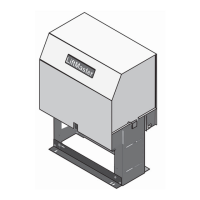
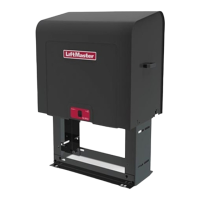
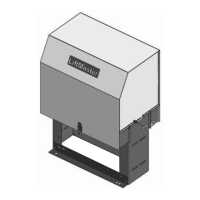
* A MyQ-Enabled Gate Operator is considered a device.





 To Next Page