38
USER INTERFACE
EN
INTELECT
®
RPW 2 USER MANUAL
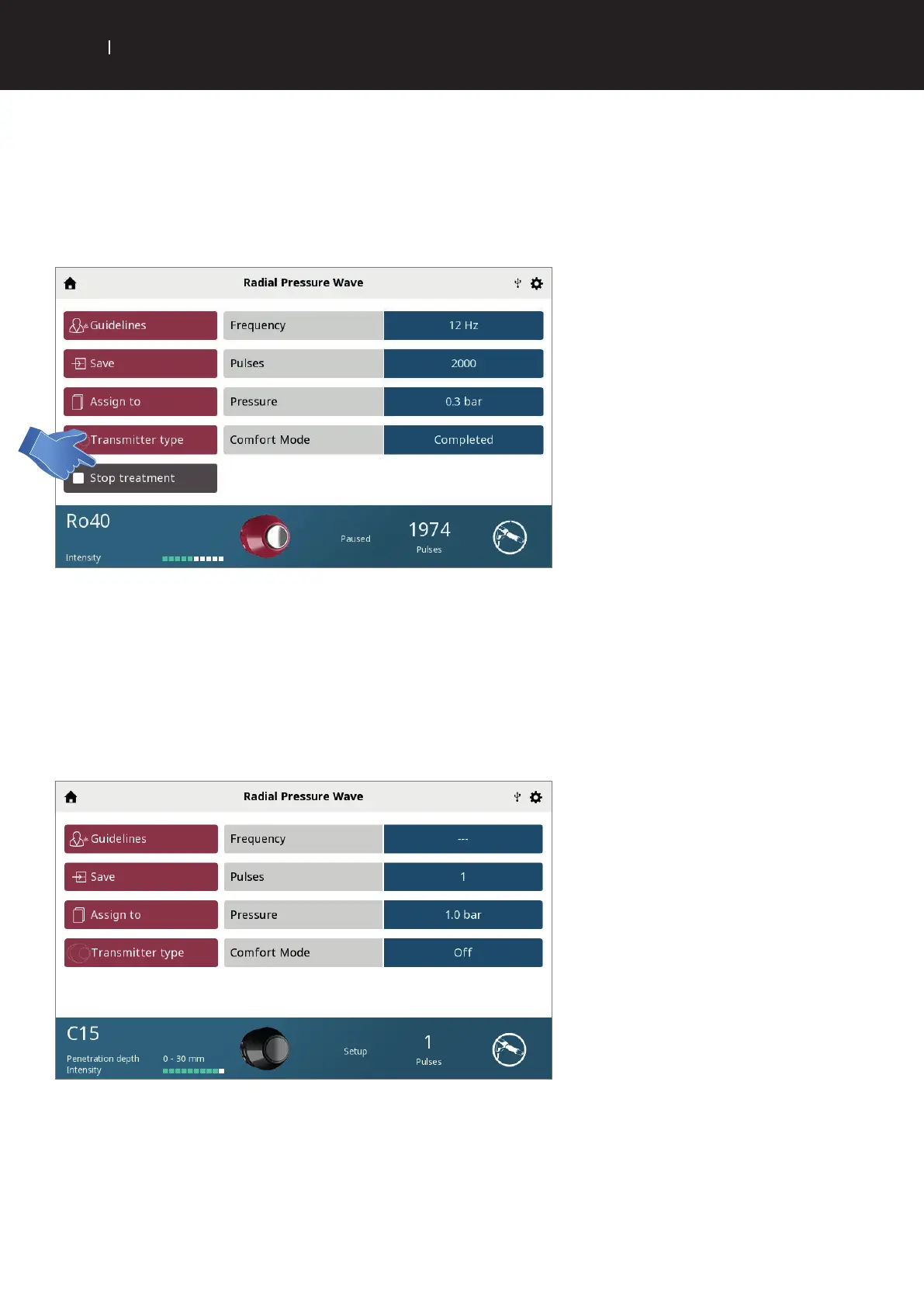
. STOP TREATMENT
If handpiece is active and projectile is moving:
Pause the treatment first, then the handpiece becomes inactive. Then by selecting Stop treatment, the treatment will end and
treatment summery displayed.
. SINGLE SHOT MODE
The Falcon D-Actor has the ability to do single shots.
This can be done by selecting Frequency and turning the dial to the left so that the Hz is displayed as “—“. Then select Pulses and
change the pulse count to ''.
When this single shot treatment is complete the Treatment summery screen will be displayed.


 To Next Page
 Loading...